













Ever signed a transaction without fully understanding what you're allowing the smart contract to do? Rabby Wallet solves exactly that. This isn't just another browser wallet—it's the first tool that actually explains what will happen before you click "Confirm". Read on to discover why thousands of DeFi users have already switched to Rabby.
Table of Contents
What is Rabby Wallet—Explained Simply
Imagine having a personal financial advisor that stops you before every crypto transaction to show you exactly what will happen to your funds. That's Rabby Wallet in a nutshell.
Rabby Wallet is a browser extension and mobile app for managing crypto assets, created by the DeBank team. Originally, DeBank became famous as the best DeFi portfolio aggregator, and this experience became the foundation for Rabby. The wallet was built from scratch for active decentralized finance users who need not just token transfers, but full control over what happens to their assets.
Important: Rabby Wallet is non-custodial. Your private keys are stored exclusively on your device. Neither the Rabby team nor anyone else has access to them.
Since launch, Rabby has earned a reputation as one of the safest and smartest wallets for working with DeFi protocols. If you actively use Uniswap, Aave, Curve, Compound or other decentralized applications—this wallet was built for you.
Key Features of Rabby Wallet
What makes Rabby truly special? Let's break down each feature:
Transaction Previews
Before signing any transaction, Rabby shows the exact outcome: which tokens leave, which arrive, and what permissions you grant. No surprises.
Contract Security Scanner
Rabby automatically checks every smart contract for known vulnerabilities and warns you if anything looks suspicious.
Multi-Chain Support
100+ EVM-compatible networks out of the box. Ethereum, BNB Chain, Polygon, Arbitrum, Optimism, Avalanche and dozens more—all in one interface.
Automatic Network Switching
Connected to a dApp on Polygon? Rabby automatically switches to the correct network. No manual RPC changes needed.
Built-in DEX Aggregator
Swap tokens directly inside the wallet at the best rates across all decentralized exchanges. Rabby Swap finds the optimal route automatically.
Token Approval Manager
See all active approvals and instantly revoke permissions from any smart contract. Critical for DeFi security.
Want to try it yourself? Visit the official Rabby Wallet website and install the extension—it takes under two minutes.
Rabby Wallet Security—How It Protects Your Assets
This is perhaps the most important part of the review. In DeFi, security is literally about keeping your money safe. Here's how Rabby approaches protection.
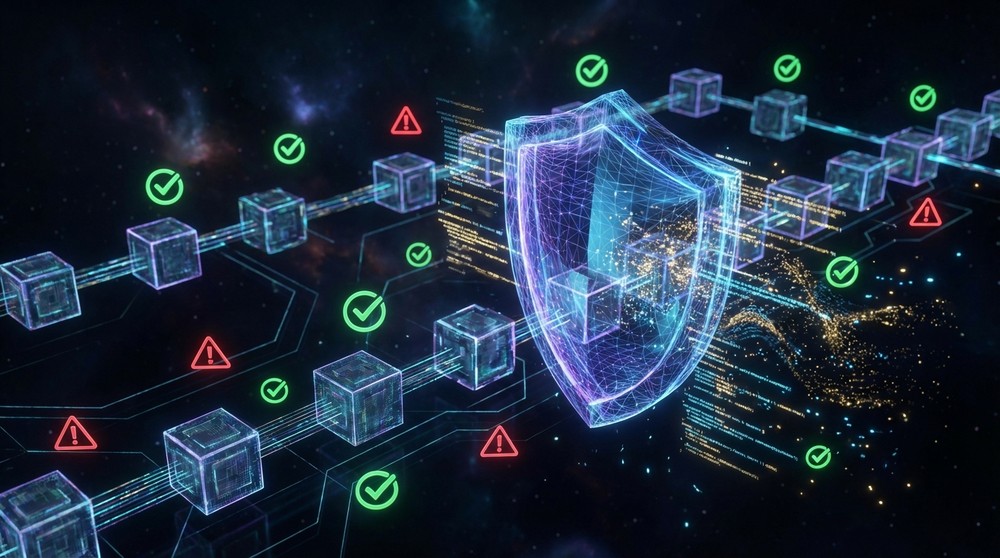
Rabby Security System—4 Protection Layers
Real-Time Transaction Analysis
Rabby's flagship feature sets it apart from most competitors. When you initiate a transaction in any dApp, Rabby doesn't just show raw transaction data—it simulates execution and displays results in human-readable format.
You see:
- Exactly which tokens and how many leave your wallet
- What you receive in return
- What permissions the contract requests
- Risk assessment based on threat database
- History of interactions with this contract
Why This Matters
Research shows most DeFi wallet hacks occur not from wallet vulnerabilities, but from users signing malicious transactions without understanding them. Rabby closes this vulnerability.
Phishing Protection
Rabby maintains a constantly updated database of phishing sites and fraudulent contracts. If you try to interact with a known malicious address, the wallet immediately warns you with a prominent alert.
Token Approval Management
Did you know that every time you interact with a DeFi protocol, you often give it permission to spend your tokens? These permissions remain active even after you stop using the protocol. Rabby has a built-in approval manager showing all active permissions and allowing one-click revocation.
Security Tip
Regularly check active approvals in Rabby and revoke permissions from protocols you no longer use. This significantly reduces risk of fund loss if a protocol gets hacked.
Open Source
Rabby Wallet is an Open Source project. Any developer can audit the wallet code for vulnerabilities or hidden functions. Code transparency is a key indicator of a reliable crypto wallet.
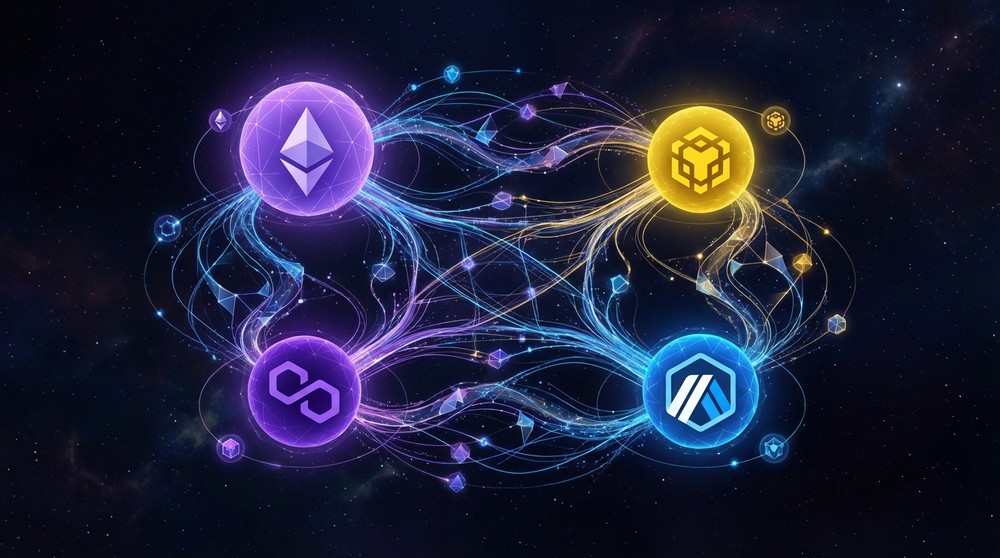
Multi-Chain Support—100+ Blockchains
One of MetaMask's biggest pain points is manually adding each new network, entering RPC addresses, Chain IDs and other technical data. If you've ever tried adding Arbitrum or zkSync to MetaMask manually, you know the struggle.
Rabby solves this radically: all major EVM-compatible networks are built into the wallet. No manual configuration needed.
| Network | Support | Auto-Switch | Gas Token |
|---|---|---|---|
| Ethereum | ✅ Yes | ✅ Yes | ETH |
| BNB Chain | ✅ Yes | ✅ Yes | BNB |
| Polygon | ✅ Yes | ✅ Yes | MATIC / POL |
| Arbitrum | ✅ Yes | ✅ Yes | ETH |
| Optimism | ✅ Yes | ✅ Yes | ETH |
| Avalanche | ✅ Yes | ✅ Yes | AVAX |
| Base | ✅ Yes | ✅ Yes | ETH |
| zkSync Era | ✅ Yes | ✅ Yes | ETH |
| Linea | ✅ Yes | ✅ Yes | ETH |
| Fantom | ✅ Yes | ✅ Yes | FTM |
This is just a sample—Rabby supports 100+ networks. When you visit a dApp running on a specific network, Rabby automatically detects it and suggests switching. This saves massive time and frustration.
Rabby Wallet for DeFi & NFT
Working with DeFi Protocols
Rabby was built by the DeBank team—developers of one of the world's best DeFi portfolio trackers. This means the wallet is optimized for decentralized finance from day one. What does this mean in practice?
- Full compatibility with all EVM dApps—Uniswap, SushiSwap, Aave, Compound, Curve, Balancer and hundreds of other protocols work seamlessly with Rabby
- Built-in Rabby Swap—DEX aggregator finding the best exchange rates across all available exchanges and routers
- DeFi position display—see all your open protocol positions directly in the wallet interface
- Yield tracking—understand your staking and farming earnings in real-time
- Aggregator integration—compatible with 1inch, Paraswap and other liquidity aggregators
NFTs in Rabby Wallet
Rabby Wallet supports full NFT functionality. In the wallet interface you can:
View Collections
All your NFTs display in a convenient gallery with image previews and key metadata.
Send NFTs
Instantly transfer any NFTs (ERC-721 and ERC-1155) to other addresses directly from the interface.
Marketplace Integration
Full compatibility with OpenSea, Blur, LooksRare, X2Y2 and other NFT marketplaces.
Secure Approvals
Control permissions for NFT marketplaces—see which collections you've allowed each marketplace to sell.
Interface & User Experience
Remember opening MetaMask for the first time and seeing a cluttered interface with confusing buttons? Rabby is different. The design is thought out to the smallest detail.
Main Screen
On the main screen you see:
- Total portfolio balance in USD with network breakdown
- Token list with current prices and 24h changes
- Quick access to send, receive and swap
- Transaction history in chronological order
- Open DeFi positions and accrued rewards
Managing Multiple Wallets
If you have multiple addresses (most active DeFi users have 3-5), Rabby makes management seamless. Switch between addresses in one click, with separate portfolios for each.
Rabby also supports wallet import via:
- Seed phrase (mnemonic)
- Private key
- Hardware wallet (Ledger, Trezor, OneKey)
- WalletConnect
- Gnosis Safe (multisig)
- Watch-only mode (view only, no control)
- Keystone, Lattice1 and other devices
Watch-only mode—particularly useful. You can add any address for monitoring without having access to it. Perfect for tracking whale portfolios or monitoring your own cold wallets.
Rabby Mobile App
Besides the browser extension, Rabby is available as a mobile app for iOS and Android. The mobile version retains all key desktop features:
- Full dApp browser with WalletConnect support
- Same transaction preview system
- Sync with browser extension via QR code
- Biometric authentication (Face ID / Touch ID)
- Push notifications for incoming transactions
Rabby Wallet vs MetaMask—Detailed Comparison
This is the comparison most readers want to see. MetaMask is the de facto standard in Web3. But is it really the best? Let's look at the numbers.
| Feature | Rabby Wallet | MetaMask |
|---|---|---|
| Transaction Previews | ✅ Full analysis | ⚠️ Basic |
| Network Support | ✅ 100+ built-in | ⚠️ Manual add |
| Auto Network Switching | ✅ Yes | ❌ No |
| Approval Manager | ✅ Built-in | ❌ No |
| Built-in DEX Aggregator | ✅ Rabby Swap | ✅ MetaMask Swap |
| Open Source | ✅ Yes | ✅ Partial |
| Phishing Protection | ✅ Advanced | ⚠️ Basic |
| DeFi Portfolio | ✅ Built-in | ❌ No |
| Watch-only Mode | ✅ Yes | ❌ No |
| Mobile App | ✅ iOS + Android | ✅ iOS + Android |
| Hardware Wallet | ✅ Ledger, Trezor, OneKey | ✅ Ledger, Trezor |
| Gnosis Safe | ✅ Yes | ⚠️ Limited |
| Cost | ✅ Free | ✅ Free |
Comparison Verdict
For active DeFi users, Rabby Wallet objectively surpasses MetaMask on most key metrics. MetaMask remains the better choice only if you need maximum compatibility with the rarest dApps that haven't been tested with Rabby. In all other cases, Rabby offers richer functionality and better protection.
How to Install Rabby Wallet—Step-by-Step Guide
Installation takes literally 2-3 minutes. Here's how:
Step 1: Download Extension
Go to the official Rabby Wallet website and download the extension for your browser. Rabby is available for Chrome, Firefox, Brave, Edge and other Chromium-based browsers. Always download only from the official website to avoid fake extensions.
Step 2: Create New Wallet or Import Existing
After installation, you'll be offered to create a new wallet or import an existing one using a seed phrase or private key. If switching from MetaMask—simply enter your seed phrase and all addresses will be imported automatically.
Step 3: Save Seed Phrase Securely
If creating a new wallet, you'll be shown a 12 or 24-word seed phrase. Write it down on paper and store in a safe place. Never save seed phrases digitally—this is the #1 security rule.
Step 4: Set Password
Set a strong password to unlock the extension. This password protects the wallet from unauthorized access on your device.
Step 5: Start Using
You're all set! Now when visiting any dApp, you'll see the Rabby icon in your browser. The wallet automatically detects the correct network and suggests connecting. You'll immediately appreciate the preview system on your first transaction.
Important Warning
Never enter your seed phrase on sites claiming to be Rabby Wallet but with different URLs. The official site is only the one linked in this article. Phishing sites are one of crypto's biggest threats.
Rabby Wallet Pros & Cons
Advantages
- Unique pre-transaction analysis system
- Automatic network switching
- 100+ EVM networks out of the box
- Built-in token approval manager
- Open source—maximum transparency
- Built-in DEX aggregator Rabby Swap
- Hardware wallet support (Ledger, Trezor, OneKey)
- Watch-only mode for address tracking
- Full-featured mobile app
- Gnosis Safe and multisig support
- Advanced phishing protection
- Completely free
- Non-custodial—your keys, your coins
- NFT support (ERC-721 and ERC-1155)
Disadvantages
- No built-in 2FA authentication
- Doesn't support non-EVM networks (Bitcoin, Solana, Cosmos)
- Smaller ecosystem compared to MetaMask
- Some specific dApps may require MetaMask
- Relatively new project—shorter track record
- No built-in native asset staking
Frequently Asked Questions About Rabby Wallet
Is Rabby Wallet Safe?
Yes, Rabby is a non-custodial open-source wallet. Your private keys are stored only on your device and never transmitted to Rabby servers. Open code allows independent security researchers to audit the wallet. Additional protection comes from the unique pre-transaction analysis system.
Can I Use Rabby Instead of MetaMask?
In most cases—yes. Rabby is fully compatible with all dApps supporting MetaMask. If you already use MetaMask, you can import your wallets into Rabby using your seed phrase and continue working without any losses. Moreover, you'll immediately get all Rabby's additional features.
Is Rabby Wallet Free?
Yes, Rabby Wallet is absolutely free to download and use. The wallet charges no fees for storing or sending assets. The only fees you pay are standard blockchain gas fees. When using Rabby Swap, a small aggregator fee applies, but the final rate remains competitive.
Does Rabby Support Bitcoin?
No. Rabby Wallet is designed exclusively for EVM-compatible blockchains. Bitcoin, Solana, Cosmos, Polkadot and other non-EVM networks are not supported. If you need a Bitcoin wallet, consider specialized solutions.
How Does Rabby Make Money?
Rabby's main revenue source is a small fee when using the built-in DEX aggregator Rabby Swap. The extension and all basic wallet functions are completely free. This is a sustainable business model that doesn't rely on selling user data.
Does Rabby Work with Ledger and Trezor?
Yes. Rabby fully supports Ledger, Trezor and OneKey hardware wallets. You can connect your device and use all Rabby features—including transaction previews—while maintaining maximum hardware wallet security. This is the best possible option for active DeFi users.
What is Rabby Swap?
Rabby Swap is a built-in DEX aggregator that automatically finds the best token exchange rates across all available decentralized exchanges and liquidity aggregators. You don't pay extra for the search—Rabby does this automatically and takes only a small fee from the rate difference.
Can Rabby Wallet Be Trusted as a New Project?
Rabby was created by the DeBank team—one of the most respected projects in the DeFi ecosystem. DeBank has operated since 2019 and established itself as a reliable tool for tracking DeFi portfolios. Rabby's open source code has been audited by numerous independent developers. The wallet is actively used by hundreds of thousands of users worldwide.
Ready to Try Rabby Wallet?
Thousands of DeFi users have already appreciated Rabby's advantages. Install the wallet right now and feel the difference from your very first transaction—the preview system will show you exactly what happens to your assets before you click "Confirm".
Visit Official Rabby Wallet WebsiteThis material is for informational purposes only and does not constitute financial advice. Cryptocurrencies and DeFi protocols involve high risks. Always conduct your own research before using any financial tools. Store your seed phrase securely and never share it with third parties.