











Ever lost access to your crypto because of a clunky wallet? Or spent hours navigating confusing interfaces? Phantom was built to end that frustration. It's not just a wallet—it's a complete Web3 portal that works as simply as a banking app while giving you absolute control over your assets.

Phantom — one of the most popular non-custodial wallets in the Web3 ecosystem
Review Contents
- What is Phantom Wallet
- How It Works: Simple Explanation
- Supported Blockchains
- Key Features
- NFTs and Digital Collectibles
- Built-in DEX and Swaps
- Security and Protection
- Platforms and Accessibility
- Getting Started: Step-by-Step Guide
- Pros and Cons
- Comparison with Alternatives
- Frequently Asked Questions
- Final Verdict
What is Phantom Wallet and Why Everyone's Talking About It
Imagine entering the world of decentralized finance, NFTs, and blockchain games. You need a "passport"—a tool to interact with thousands of dApps, store crypto, and manage digital assets. Phantom Wallet is exactly that passport, only digital.
Phantom is a non-custodial crypto wallet, meaning only you own your keys and therefore your assets. No company, bank, or government can freeze your funds or access them without your permission.
Key Principle: "Not your keys — not your coins"
Unlike storing crypto on exchanges where the exchange owns your coins, Phantom gives you full sovereignty over your assets. Your secret recovery phrase (seed phrase) is the only key to your wallet. No one else knows it.
Originally built for Solana—one of the fastest and cheapest blockchains—Phantom is now a full multichain tool supporting Solana, Ethereum, Polygon, Bitcoin, and more. That's why Phantom has won over tens of millions of users worldwide.
How Phantom Works: Explained Simply
Let's break down how Phantom works as if explaining to a friend who's only heard the word "blockchain."
When you create a Phantom wallet, the system generates a secret phrase of 12 or 24 words (called a seed or mnemonic phrase). This is like a master password for all your crypto assets. From this phrase, the system mathematically derives:
- Private key — a secret code you use to "sign" transactions (like your signature on documents)
- Public key (wallet address) — like a bank account number you give others to receive crypto
Remember This Forever
Write the secret phrase on paper and store it in a safe place. Never photograph it, send it in messengers, or enter it on unknown sites. If you lose the seed phrase and access to your device simultaneously—recovery is impossible.
When you want to send crypto or interact with a dApp, Phantom uses your private key to "sign" the transaction. This signature tells the blockchain that you own the funds and authorize the operation. The private key never leaves your device—only the signed transaction goes to the network.
Supported Blockchains: Multichain Without Compromise
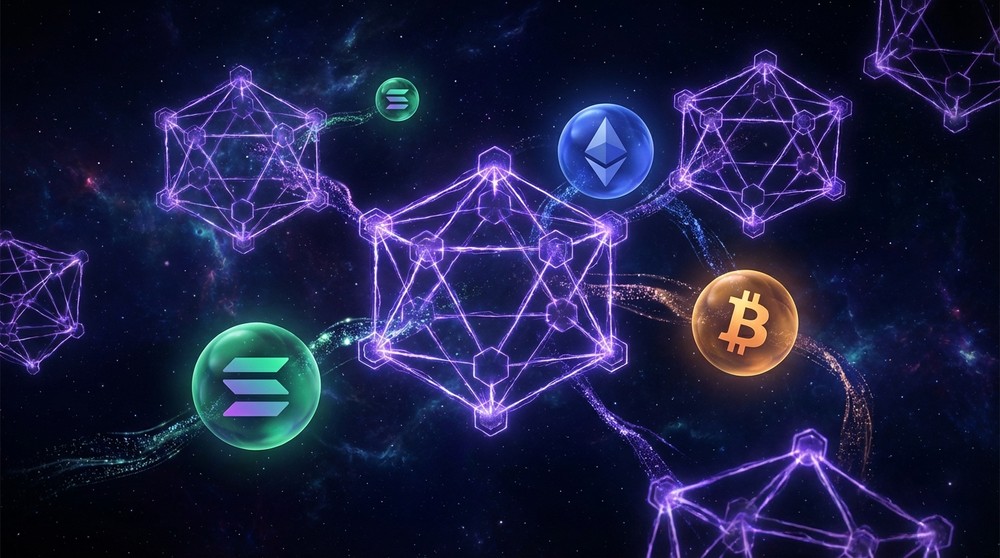
Phantom unites leading blockchains in one interface
One main reason for Phantom's popularity is support for multiple blockchains in one interface. No need to install separate wallets for each network.
Solana (SOL)
Phantom's native ecosystem. Lightning-fast transactions in fractions of a second, fees under a cent. Perfect for active trading, NFTs, and DeFi protocols.
Ethereum (ETH)
The world's largest dApp ecosystem. Thousands of DeFi protocols, NFT marketplaces, and Web3 apps. Phantom supports all ERC-20 tokens.
Polygon (MATIC)
Layer-2 solution for Ethereum with low fees. Great for NFT trading and DeFi without high gas costs.
Bitcoin (BTC)
Phantom added support for the world's main cryptocurrency. Store BTC alongside all other assets in one interface.
Phantom continues expanding supported networks. The development team regularly adds new blockchains following community requests, making the wallet a promising long-term tool.
Key Features: What Phantom Can Do
Phantom isn't just coin storage. It's a multifunctional tool covering most crypto user needs without switching between dozens of apps.
Cryptocurrency Storage
Support for thousands of tokens on Solana, Ethereum, Polygon, and Bitcoin. Automatic balance and fiat value display.
Sending and Receiving
Instant crypto transfers by wallet address or QR code. Support for domain names (.sol, .eth) instead of long addresses.
dApp Connection
Seamless interaction with thousands of decentralized apps—from DEX exchanges to blockchain games and NFT marketplaces.
SOL Staking
Delegate SOL to validators directly in the wallet interface and earn passive income without technical knowledge.
Transaction History
Complete operation history with convenient visualization. Always know what, when, and where was sent.
Multiple Account Management
Create unlimited wallets within one seed phrase. Convenient for separating personal and business assets.
Ready to Try Phantom?
Install the wallet in 2 minutes and get access to the entire Web3 ecosystem—from DeFi to NFTs.
NFTs in Phantom: Your Digital Gallery Always With You

Built-in NFT gallery allows viewing and managing collections directly in the wallet
If you've ever wondered "where are my NFTs actually stored?"—the answer is simple: they're stored on the blockchain, and Phantom lets you see, send, and manage them in a beautiful interface.
NFTs (Non-Fungible Tokens) are unique digital records on the blockchain proving your ownership of digital assets: images, music tracks, game items, virtual land, and more.
Built-in DEX: Swap Tokens Without Leaving the Wallet
Remember when you had to: copy wallet address → open exchange → connect wallet → find the pair → make swap → return to wallet? Phantom does all this in two clicks right inside the interface.
Phantom's built-in swapper (DEX aggregator) automatically finds the best exchange rates across multiple decentralized exchanges and liquidity pools. This means you get the most favorable rate without manually comparing dozens of platforms.
| Feature | Phantom DEX | Centralized Exchange |
|---|---|---|
| Registration and KYC | Not required | Mandatory |
| Key Storage | Yours (non-custodial) | On exchange (risk) |
| Swap Speed | Instant (especially Solana) | Depends on exchange |
| Availability | 24/7, no restrictions | May have downtime |
| Withdrawal Limits | None | Often limited |
| Anonymity | Full | Requires ID |
On Solana, token swaps through Phantom happen in fractions of a second with fees of a few cents. This fundamentally changes the trading experience compared to slow and expensive Ethereum (though Phantom supports that too).
Phantom Security: How Your Wallet is Protected
Multi-layered protection makes Phantom one of the most secure wallets
Security is the key issue for any crypto wallet. Let's honestly break down how Phantom protects your assets.
Local Key Storage
Private keys are stored exclusively on your device in encrypted form. Phantom servers never have access to them. This fundamental architectural decision protects you even if company servers are hacked.
Password and Biometric Protection
Every time you open the wallet, password entry or biometric authentication (Touch ID/Face ID on mobile) is required. Without this, no one can access your assets even with physical device access.
Anti-Phishing Protection
Phantom automatically warns about suspicious sites and transactions. A built-in security scanner analyzes every dApp request before you sign it.
Malicious Transaction Blocking
Before signing any transaction, Phantom shows a detailed breakdown: what exactly you're allowing, which tokens and amounts will be involved. Suspicious transactions are flagged with warnings.
NFT Spam Filtering
Scammers often send fake NFTs with malicious smart contracts. Phantom automatically detects and hides such tokens, protecting inexperienced users from common scam schemes.
Hardware Wallet Support (Ledger)
Phantom supports Ledger hardware wallet integration. This means you can use Phantom's convenient interface while keys are stored on a physical device—maximum security level.
Important Security Note
Phantom is a reliable tool, but 90% of security depends on user behavior. Main threats: phishing sites (fake Phantom copies), social media scammers asking for seed phrases, and malicious dApps. Always download Phantom only from the official site and never enter your seed phrase on third-party sites.
What Devices Phantom Works On
Phantom is available on all major platforms, making it a truly universal solution.
Browser Extension
Available for Chrome, Firefox, Brave, Edge, and other Chromium-compatible browsers. This is the primary way to use Phantom for dApp interaction on desktop. The extension integrates into the browser and allows Web3 app connections in one click.
Mobile App
Full-featured apps for iOS (App Store) and Android (TensorProxy Play). The mobile version matches desktop functionality and adds convenience: biometric authentication, QR scanner, instant transaction notifications.
Cross-Device Synchronization
Since your wallet is defined by the seed phrase, not a specific device, you can restore access to the same wallet on any number of devices. Install Phantom on phone and computer, enter the seed phrase—and both devices will show the same wallet with identical balances.
How to Start Using Phantom: Step-by-Step Guide
Creating a Phantom wallet is easier than it seems. The entire process takes about 3-5 minutes.
Step 1: Download Phantom
Visit the official site via the link below and select the version for your browser or mobile device. Important: download only from the official site or official app stores to avoid fake versions.
Step 2: Create New Wallet
On first launch, select "Create a new wallet." Phantom will generate a unique 12-word seed phrase specifically for you.
Step 3: Save Seed Phrase
This is the most important step. Write down 12 words on paper in the correct order. Make multiple copies and store them in different safe places. Never show this phrase to anyone—it's the only way to recover your wallet.
Step 4: Confirm Seed Phrase
Phantom will ask you to select words from the phrase in the correct order—this verifies that you actually saved it, not just skipped the step.
Step 5: Set Password
Create a strong password to protect wallet access on your device. This password is for unlocking the app—it's different from the seed phrase and cannot recover the wallet.
Step 6: Fund Your Wallet
Your wallet is created! Now you can copy the wallet address and fund it from an exchange or receive crypto from another user. Once funded, you're ready to use all Phantom features.
Honest Pros and Cons of Phantom
Advantages
- Intuitive interface—ideal for beginners and experienced users
- Multichain support: Solana, Ethereum, Polygon, Bitcoin in one wallet
- Built-in DEX aggregator with best exchange rates
- Full NFT support with built-in gallery
- SOL staking directly in the interface
- Available on all platforms: browser, iOS, Android
- Automatic NFT spam and phishing site filtering
- Ledger integration for maximum security
- Free to use (only network fees)
- Huge ecosystem: thousands of compatible dApps
- Active development and regular updates
Disadvantages
- Not open-source (closed source)—reduces transparency for technical users
- Doesn't support all blockchains—e.g., Binance Smart Chain, Avalanche require other wallets
- Hot wallet—less secure than hardware solutions (Ledger, Trezor) for large amounts
- Swap fees—Phantom charges a small fee (0.85%) when using the built-in DEX
- Browser dependency—extension vulnerable when used on infected computers
Phantom vs Alternatives: Objective Comparison
How does Phantom compare to other popular wallets? Let's look honestly.
| Criterion | Phantom | MetaMask | Trust Wallet | Ledger |
|---|---|---|---|---|
| Type | Hot (browser + mobile) | Hot (browser + mobile) | Hot (mobile) | Cold (hardware) |
| Solana | ✅ Native support | ❌ Not supported | ✅ Available | ✅ Available |
| Ethereum | ✅ Available | ✅ Native support | ✅ Available | ✅ Available |
| Bitcoin | ✅ Available | ❌ No | ✅ Available | ✅ Available |
| Built-in DEX | ✅ Yes | ✅ Yes | ✅ Yes | ❌ No |
| NFT Gallery | ✅ Yes | ⚠️ Basic | ✅ Yes | ⚠️ Basic |
| Interface Ease | ⭐⭐⭐⭐⭐ | ⭐⭐⭐ | ⭐⭐⭐⭐ | ⭐⭐⭐ |
| Security | High | High | High | Maximum |
| Cost | Free | Free | Free | From $79 |
Comparison Conclusion: Phantom beats MetaMask with Solana support and a significantly more user-friendly interface. Compared to Trust Wallet—offers a better experience for the Solana ecosystem. Hardware wallets like Ledger are more secure, but Phantom can be used with Ledger, getting the best of both worlds.
Frequently Asked Questions About Phantom Wallet
Is Phantom free?
Yes, the app itself is completely free. You only pay blockchain network fees (gas fees) when sending transactions, plus a small 0.85% fee when using the built-in swapper.
Is it safe to store large amounts in Phantom?
For small and medium amounts—yes. For large assets, it's recommended to use Phantom with a Ledger hardware wallet. This gives you Phantom's convenient interface with the maximum security of cold storage.
What if I lost my Phantom password?
If you remember your seed phrase—you're fine. Reinstall Phantom, select "Restore wallet," and enter the seed phrase. The password is only device-level protection; the seed phrase is your real key to the wallet.
Does Phantom support Binance Smart Chain?
Currently no. Phantom focuses on Solana, Ethereum, Polygon, and Bitcoin. For BSC, better use MetaMask or Trust Wallet.
Can I use one Phantom on multiple devices?
Yes. Install Phantom on any device, select "Restore wallet," and enter the seed phrase. All your assets will appear instantly. The wallet exists on the blockchain—the device just provides access to it.
Can Phantom see my transactions?
Transactions are public on the blockchain—anyone can see them. Phantom as a company doesn't have access to your private keys, but can see public wallet activity as part of providing the service.
How does Phantom make money?
The main revenue source is the 0.85% fee when using the built-in token swapper. The app itself and asset storage are free.
Does Phantom support staking?
Yes, Phantom supports native SOL staking directly in the interface. You can delegate SOL to a validator and earn rewards without technical knowledge. For staking other tokens, use appropriate dApps.
Final Verdict: Should You Use Phantom
Our Rating: 4.8 / 5
Phantom is an exemplary model of what a modern Web3 wallet should be. The development team created a product that's simultaneously simple for beginners and functional for experienced users. Intuitive interface, powerful features, active development, and a huge ecosystem make Phantom the first choice for anyone working with Solana and wanting a unified tool for managing multiple blockchains.
Phantom is our editorial pick among browser and mobile wallets. If you're looking for a reliable, convenient, and multifunctional tool to enter the world of Web3, DeFi, and NFTs—this is exactly what you need.
Phantom is Perfect For:
- Crypto beginners looking for a simple start
- Active traders in the Solana ecosystem
- NFT collectors and creators
- DeFi users working with multiple networks
- Web3 app developers and testers
Phantom is Less Suitable For:
- Storing very large amounts without a hardware wallet
- Working with Binance Smart Chain and other unsupported networks
- Users for whom open source is critically important
Start Using Phantom Right Now
Join tens of millions of users who have already experienced the power and convenience of Phantom. Installation takes 2 minutes—and you're in the world of Web3.
This review is for informational purposes only and is not financial advice. Cryptocurrency investments carry high risk. Always do your own research before making financial decisions. Store your seed phrase in a safe place—we are not responsible for lost access to your assets.