











Imagine a digital vault in your pocket that opens only with your key—no bank, exchange, or government permission required—yet grants access to the entire world of decentralized finance, NFTs, and Web3 apps. That's Coinbase Wallet. Don't confuse it with your Coinbase exchange account—these are fundamentally different products. The wallet operates independently: your assets stay with you, not on company servers.
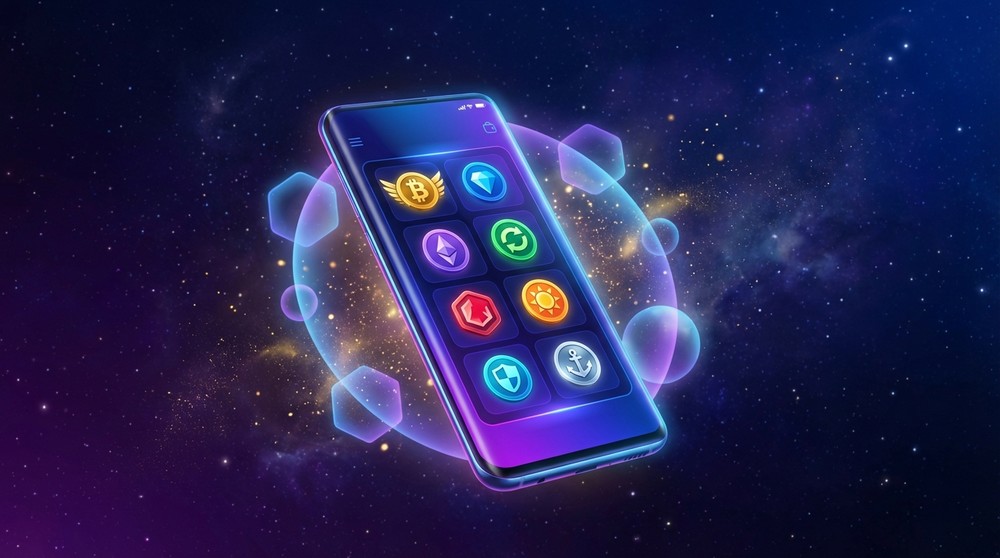
Coinbase Wallet—your personal gateway to Web3, DeFi, and NFTs
Table of Contents
What is Coinbase Wallet and How is it Different from the Exchange?
Many beginners confuse Coinbase Wallet with a Coinbase exchange account. These are fundamentally different—and understanding this distinction is crucial from day one.
Coinbase Exchange
Stores your assets on their servers. You trust the company. If the exchange freezes your account—access to funds is lost. This is called a custodial wallet.
Coinbase Wallet
You hold the private keys. No one, including Coinbase, can freeze your funds. This is a non-custodial (self-custody) wallet—true crypto freedom.
Golden Rule: "Not your keys—not your coins." Coinbase Wallet gives you real control because private keys are stored only on your device, nowhere else.
Coinbase Wallet is a standalone app for iOS and Android, plus browser extensions (Chrome, Brave, Firefox). It lets you store crypto, interact with decentralized applications (dApps), trade NFTs, and participate in DeFi protocols—all without identity verification.
How Coinbase Wallet Works—Explained Simply
Think of blockchain as a massive public ledger recording all transactions. To write in this ledger (send or receive crypto), you need a key pair:
- Public Key (wallet address)—like a bank account number. Share it with anyone who wants to send you crypto.
- Private Key—like a vault PIN. Never share it. Whoever knows the private key controls the wallet.
- Seed Phrase (recovery phrase)—12 random words that mathematically generate all your keys. This is your complete wallet backup.
⚠️ Critical Security Rule
Never store your 12-word seed phrase online, in cloud storage, messengers, or phone photos. Write it on paper and store it securely. Lost seed phrase = lost assets forever. Coinbase cannot recover your wallet if you lose the phrase.
When you install Coinbase Wallet and create a new wallet, the app generates a unique seed phrase directly on your device. It's never transmitted anywhere. That's why it's called non-custodial—neither Coinbase nor anyone else has access to it.

Intuitive interface opens access to DeFi, NFTs, and dApps
Key Features of Coinbase Wallet
Coinbase Wallet isn't just storage—it's a complete crypto ecosystem. Here's every feature explained.
Asset Storage and Management
The wallet supports thousands of tokens across dozens of blockchains. Store Bitcoin, Ethereum, Solana, ERC-20, BEP-20, SPL tokens, and more—all in one interface. Balances update in real-time.
Multi-Chain Support
Ethereum, Base, Polygon, BNB Chain, Avalanche, Optimism, Arbitrum, Solana, and more—accessible from a single interface without switching apps.
Built-in DEX Aggregator
Swap tokens instantly inside the wallet. Coinbase Wallet aggregates the best rates from leading decentralized exchanges—Uniswap, SushiSwap, 1inch, and others.
Send and Receive
Send crypto via wallet address, QR code, or ENS username (.eth domain). Receive assets instantly—no delays or intermediaries.
Buy Crypto
Fund your wallet directly from your bank card through partner services. No exchange registration needed—crypto goes straight to your wallet.
Transaction History
Complete operation history with filtering by network, transaction type, and date. Convenient for activity tracking and tax reporting.
Multiple Wallets
Create multiple wallets in one app. Separate assets by purpose: one for DeFi, another for NFTs, a third for daily transactions.
Web3 Browser and dApps
The built-in dApps browser is a top reason experienced users choose Coinbase Wallet. Connect directly to thousands of decentralized applications:
- Decentralized Exchanges (DEX): Uniswap, PancakeSwap, Curve Finance
- Lending Protocols: Aave, Compound, MakerDAO
- NFT Marketplaces: OpenSea, Rarible, Foundation, LooksRare
- Blockchain Games and Metaverses: Axie Infinity, Decentraland, The Sandbox
- Yield Aggregators: Yearn Finance, Convex Finance
- Social Protocols: Lens Protocol, Farcaster
Coinbase Wallet Security: How Safe Is It?
Security is what most beginners ignore until they lose money. With Coinbase Wallet, the situation is fundamentally better than exchange wallets, but understanding the protection mechanics is crucial.
Multi-Layered Protection System
Private keys and seed phrases are stored exclusively on your device in encrypted form. Even Coinbase servers have no access to them.
Unlock via Face ID, Touch ID, or fingerprint. Without your biometric confirmation, the wallet won't open.
Additional PIN for transactions and two-factor authentication protect your assets even if your phone falls into wrong hands.
Encrypted seed phrases can be saved to iCloud or TensorProxy Drive. Encryption happens on-device—the cloud only receives the encrypted file.
Phishing and Scam Protection
Coinbase Wallet integrates warnings for suspicious transactions and known scam addresses. Before signing any transaction, you see detailed information about what you're approving—protecting against malicious smart contracts.
Expert Security Tip
Create a separate wallet specifically for interacting with new or unverified dApps. Store main assets on a "cold" wallet that never connects to internet apps. This "hot/cold" separation is used by professional traders.
DeFi, NFTs, and Web3—Full Access to the New Financial System
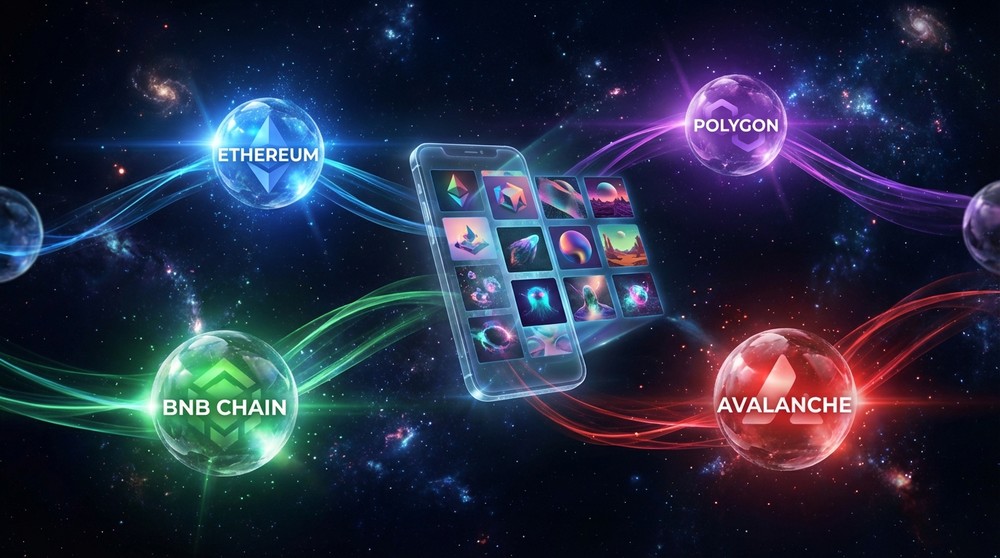
Manage NFT collections and multi-chain assets in a unified interface
NFTs: Storage, Viewing, and Trading
Coinbase Wallet automatically displays all NFTs linked to your address. You see images, metadata, and transaction history for each token. Directly from the wallet you can:
- View NFT collections in a convenient gallery
- Send NFTs to other users
- Connect to OpenSea and other marketplaces for buying and selling
- Set NFTs as profile avatars
- Track collection value in real-time
DeFi: Earn on Your Assets
Decentralized finance offers opportunities unavailable in traditional banking. Through Coinbase Wallet you can:
Liquidity and Staking
Provide liquidity on DEXs and earn trading fees. Stake ETH and other tokens for passive income.
Lending and Borrowing
Use your assets as collateral to borrow USDC or DAI. Or lend assets and earn interest.
Yield Farming
Optimize returns by moving assets between protocols. Aggregators like Yearn Finance do this automatically.
"Coinbase Wallet is like a Swiss Army knife for Web3. It makes decentralized finance accessible even to crypto beginners. The built-in dApps browser and multi-chain support make it one of the most functional non-custodial wallets on the market."
Supported Networks and Assets
One of Coinbase Wallet's strongest features is extensive multi-chain support. This means you can work with assets across different blockchains without installing separate wallets.
| Blockchain | Asset Types | DEX/DeFi | NFT |
|---|---|---|---|
| Ethereum (ETH) | ETH, ERC-20 tokens | Uniswap, Aave, Compound | OpenSea, Rarible |
| Base | ETH, ERC-20 tokens | BaseSwap, Aerodrome | Supported |
| Polygon (MATIC) | MATIC, ERC-20 tokens | QuickSwap, Aave | OpenSea (Polygon) |
| BNB Chain | BNB, BEP-20 tokens | PancakeSwap | Supported |
| Avalanche (AVAX) | AVAX, Avalanche tokens | Trader Joe | Supported |
| Optimism | ETH, OP and tokens | Velodrome | Supported |
| Arbitrum | ETH, ARB and tokens | GMX, Camelot | Supported |
| Solana (SOL) | SOL, SPL tokens | Orca, Raydium | Magic Eden |
| Bitcoin (BTC) | BTC | — | Ordinals |
Beyond those listed, Coinbase Wallet supports dozens of other EVM-compatible networks. Users can add custom RPC networks manually, making the wallet a nearly universal tool.
Ready to Try Coinbase Wallet?
Install the wallet for free and get full control over your crypto assets. No identity verification—just download and start using.
Visit Official Coinbase Wallet SiteHonest Pros and Cons of Coinbase Wallet
No wallet is perfect. Here's an honest look at Coinbase Wallet's strengths and weaknesses—without marketing gloss.
Advantages
- Full key control—no one can freeze your assets
- Wide multi-chain support—9+ blockchains in one app
- Built-in DEX aggregator—best swap rates without leaving the app
- Intuitive interface—suitable for beginners and pros
- Web3 browser—direct access to thousands of dApps
- NFT gallery—automatic display of all tokens
- Free to use—no subscription fees, only network gas fees
- Coinbase exchange integration—easy transfers between wallet and exchange
- ENS support—send to readable names instead of long addresses
- Cloud backup—encrypted seed phrase backup
Disadvantages
- Not open source—closed code, no independent audits possible
- Coinbase reputation—company faces regulatory pressure, concerns some users
- Swap fees—built-in DEX charges small fees on top of network gas
- No hardware wallet support—cannot connect Ledger or Trezor directly via app
- Basic analytics—no advanced trading tools
- Ecosystem dependency—some features work better with Coinbase exchange
Who is Coinbase Wallet For?
Coinbase Wallet is a universal tool, but especially suits specific user categories. See if you fit one of these profiles:
Crypto Beginners
Just starting out? Coinbase Wallet is an excellent first non-custodial wallet. Simple interface, clear explanations, and built-in tips help you navigate without unnecessary complexity.
DeFi Enthusiasts
Actively participating in liquidity mining, staking, and lending? The built-in dApps browser and DEX aggregator save time and money on fees.
NFT Collectors
Automatic collection display, direct OpenSea connection, and support for Ethereum and Solana NFTs make it ideal for digital art collectors.
Multi-Chain Investors
Holding assets across different blockchains? Coinbase Wallet lets you manage everything from one app without constantly switching wallets.
Mobile Users
The app is optimized for mobile devices. If you prefer managing assets from your smartphone, this is one of the best options available.
Coinbase Exchange Users
Already have a Coinbase account? Wallet integration allows instant transfers between them without extra steps.
Coinbase Wallet vs Competitors: Honest Comparison
The non-custodial wallet market is crowded. How does Coinbase Wallet compare to main competitors? See this objective comparison:
| Criteria | Coinbase Wallet | MetaMask | Trust Wallet | Phantom |
|---|---|---|---|---|
| Multi-chain Support | ✅ 9+ networks | ✅ EVM + manual add | ✅ 100+ networks | ⚠️ Solana + limited |
| Built-in DEX | ✅ Aggregator | ✅ MetaMask Swaps | ✅ Yes | ✅ Yes |
| NFT Support | ✅ Full | ✅ Yes | ✅ Yes | ✅ Best for Solana |
| Open Source | ❌ No | ✅ Yes | ✅ Yes | ❌ No |
| Browser Extension | ✅ Chrome/Brave | ✅ All browsers | ❌ No | ✅ Chrome/Brave |
| Beginner Friendly | ✅ High | ⚠️ Medium | ✅ High | ✅ High |
| Bitcoin Support | ✅ Yes | ❌ No | ✅ Yes | ❌ No |
| Hardware Wallet | ❌ No | ✅ Ledger | ❌ No | ✅ Ledger |
Verdict: Coinbase Wallet wins on interface convenience and Coinbase exchange integration. MetaMask leads in EVM compatibility and hardware wallet support. Trust Wallet is the champion for supported network quantity. Choice depends on your priorities.
How to Start Using Coinbase Wallet—Step-by-Step Guide

Setting up Coinbase Wallet takes under 5 minutes
Installation and setup takes under 5 minutes. Here's the exact sequence:
Step 1: Download the App
Click the official Coinbase Wallet site link and download for iOS or Android, or install the Chrome/Brave extension. Ensure you're downloading the official app—scammers create clones with similar names.
⚠️ Critically Important
Never enter your seed phrase on third-party sites, even if they look like the official Coinbase site. Legitimate services never ask for seed phrases. If asked—it's 100% a scam.
Frequently Asked Questions About Coinbase Wallet
Is Coinbase Wallet Free?
Yes, the app is completely free. You only pay network fees (gas fees) for blockchain transactions—standard for all non-custodial wallets. The built-in swap feature charges a small aggregator fee.
Is Identity Verification (KYC) Required?
No. Creating and using the wallet requires no passport, email, or phone. Coinbase Wallet is fully anonymous—just install the app and create a wallet.
What if I Lose My Phone?
What if I Lose My Phone?
Nothing bad happens if you have your seed phrase. Install Coinbase Wallet on a new phone, select "Import existing wallet," and enter your 12 words. The wallet with all assets will be fully restored.
Does Coinbase Wallet Support Bitcoin?
Yes, Coinbase Wallet supports Bitcoin (BTC), including Bitcoin Ordinals (NFTs on Bitcoin). This is an advantage over MetaMask, which doesn't work with the Bitcoin network.
Can I Use the Wallet Without Internet?
Viewing balances—yes (if data is cached). Making transactions—no, this requires blockchain network connection. The keys themselves are stored locally and don't require internet for secure storage.
Are Coinbase Wallet and Coinbase Exchange the Same?
No. These are different products. Coinbase Exchange is a centralized platform where the company stores your assets. Coinbase Wallet is a non-custodial wallet where you control the keys. Both products are integrated for convenient transfers.
Coinbase Wallet—Your First Step into Web3
Thousands of users already trust Coinbase Wallet with their crypto assets. Intuitive interface, powerful features, and reliable protection make it one of the best choices for crypto management—regardless of your experience level.
Available for iOS, Android, and browser extensions
This material is for informational purposes only and is not financial advice. Cryptocurrency investments carry high risk. Always conduct your own research before making financial decisions.