











Ever feel like managing crypto is a juggling act? One wallet for Bitcoin, another for DeFi, a third for NFTs? We get it. That's why Bitget Wallet is capturing the attention of millions worldwide. It's not just a wallet; it's a full Web3 ecosystem in your pocket. This deep dive will break it down to the atom so you can make an informed decision.
Bitget Wallet - Your single gateway to the Web3 world
In This Review
What is Bitget Wallet? Explained Simply
Imagine a universal remote that controls your entire entertainment system. Bitget Wallet is that remote for the crypto world. It's a single wallet that unifies access to all major blockchains, letting you buy, store, swap tokens, and manage NFTs and DeFi from one place.
Bitget Wallet is a non-custodial Web3 wallet. "Non-custodial" means one crucial thing: only you own your private keys. Not Bitget, not anyone else. This is the fundamental difference from centralized exchanges where a company holds your assets.
For Beginners: A private key is like the PIN to your bank card, but far more powerful. Whoever has the private key controls the wallet. In a non-custodial wallet like this, you are the sole custodian of your funds.
The wallet is developed by the team behind Bitget, a leading crypto exchange with a global user base. This isn't a startup project; it's a mature product backed by serious infrastructure, regular security audits, and continuous updates.
Bitget Wallet by the Numbers
Key Features of Bitget Wallet
Before diving deep, let's look at the big picture. What makes Bitget Wallet so compelling for both beginners and veterans?
Multi-Chain Hub
Manage assets on Ethereum, BNB Chain, Solana, Polygon, Avalanche, Tron, and dozens more—all from a single, unified interface.
Built-in DEX Aggregator
Swap tokens instantly at the best rates, aggregating prices from dozens of decentralized exchanges. No KYC, no intermediaries.
NFT Wallet & Marketplace
Store, view, and trade NFTs directly. Supports all major standards like ERC-721, ERC-1155, and SPL.
DeFi Without Barriers
The built-in dApp browser gives you direct access to thousands of DeFi protocols for staking, lending, yield farming, and more.
Next-Gen MPC Security
Multi-Party Computation (MPC) technology ensures your private key is never stored in one place, offering a new level of security.
Fiat On-Ramp
Buy crypto directly with your bank card or other payment methods, instantly, without leaving the app.
Multi-layered security is the foundation of Bitget Wallet's architecture.
Supported Blockchains & Tokens
The first question everyone asks: "Does it support my favorite token?" With Bitget Wallet, the answer is almost always yes.
| Ecosystem | Major Networks | Status |
|---|---|---|
| EVM-Compatible | Ethereum, BNB Chain, Polygon, Avalanche, Arbitrum, Optimism, Base | ✓ Full Support |
| Solana Ecosystem | Solana (SOL), all SPL tokens, Solana NFTs | ✓ Full Support |
| Bitcoin Ecosystem | Bitcoin, Litecoin, Bitcoin Cash, Ordinals/BRC-20 | ✓ Full Support |
| TON / Telegram | TON, Jettons, NFTs on TON | ✓ Full Support |
| Cosmos Ecosystem | ATOM, OSMO, INJ & 20+ IBC networks | ✓ Full Support |
| Tron, Aptos, Sui | TRX, APT, SUI and their ecosystems | ✓ Full Support |
Key Insight for Investors
Bitget Wallet supports BRC-20 (Bitcoin Ordinals), SRC-20, and Runes tokens—cutting-edge assets that most other wallets don't support. If you're following Bitcoin ecosystem trends, this is a major advantage.
Security: How Your Assets Are Protected
Let's be honest: security is the only thing that truly matters in a wallet. A sleek interface means nothing if your funds aren't safe. This is where Bitget Wallet's maturity shines.
MPC – The Game-Changing Tech
Traditional wallets store your private key in a single file on your device. Lose the device, lose everything. Bitget Wallet uses MPC (Multi-Party Computation)—a cryptographic protocol where your private key is never stored in one place.
MPC Explained Simply
Imagine your private key is a puzzle split into three pieces. One piece is on your phone, another in encrypted cloud storage, a third on a backup device. To sign a transaction, at least two pieces are needed, but they never fully combine in one place. Even if a server is compromised, hackers only get a useless fragment.
Multi-Layered Security Stack
Golden Rule of Security
No legitimate service will ever ask for your seed phrase. Never, under any circumstances, share your 12 or 24-word recovery phrase with anyone. Anyone asking for it is a scammer, no exceptions.
Built-in DEX Aggregator: Trade at the Best Price
One of Bitget Wallet's most powerful features is its built-in DEX aggregator. Instead of manually checking prices on Uniswap, PancakeSwap, or SushiSwap, Bitget Wallet does it for you—instantly.
The aggregator algorithm scans dozens of decentralized exchanges and liquidity pools simultaneously. You see only the best possible price with minimal slippage and optimal fees.
What the DEX Can Do
- Swap tokens within the same blockchain
- Cross-chain swaps between different blockchains
- Compare transaction routes for the best price
- Set custom slippage tolerance
- Preview fees before confirming
- Place limit orders on supported protocols
Cross-Chain Bridge – This is a game-changer. Want to move USDT from Ethereum to BNB Chain? Or swap ETH for SOL? Bitget Wallet finds the optimal route via bridges and DEXs automatically. What used to take 10 steps across 3 different sites now takes 2 clicks.
NFTs & DeFi in Bitget Wallet
Bitget Wallet provides direct access to thousands of DeFi protocols and NFT platforms.
NFTs: Full Control Over Your Digital Assets
NFTs in Bitget Wallet are more than just a gallery. It's a full-featured toolkit for digital collectors and traders:
- Automatic NFT Detection – Tokens from supported networks appear in your gallery instantly.
- Multi-Format Support – Images, videos, 3D objects, music NFTs.
- Direct Marketplace Access – Connect to OpenSea, Blur, Magic Eden, Tensor directly from the built-in browser.
- Rarity Display – See the rarity and traits of your NFTs without third-party tools.
- Batch Operations – Transfer multiple NFTs in a single transaction.
- Ordinals / BRC-20 Support – Full support for the hottest trend in the Bitcoin ecosystem.
DeFi: Put Your Assets to Work
The built-in dApp browser is your portal to decentralized finance. From within Bitget Wallet, you can:
Staking
Delegate assets to staking protocols (Lido, Rocket Pool, native staking) to earn passive income without giving up custody.
Lending & Borrowing
Open positions on Aave, Compound, Venus—lend assets or take out loans using your crypto as collateral.
Yield Farming
Provide liquidity to pools on Uniswap, Curve, PancakeSwap and earn fees from every trade.
Launchpad Access
Participate in early-stage project sales (IDOs) directly through the wallet's dApp browser.
Bitget Wallet Mobile App
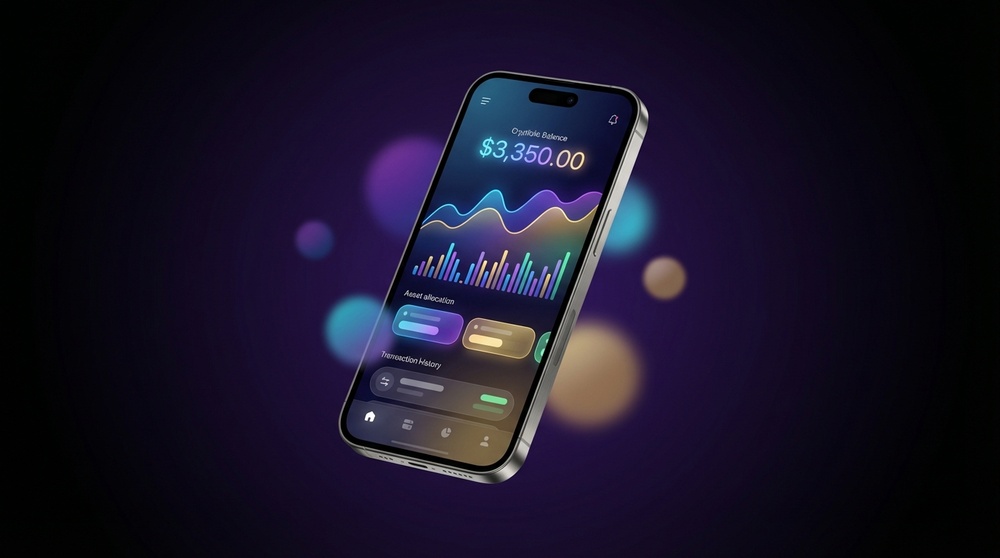
Bitget Wallet mobile app – intuitive interface for iOS and Android.
The Bitget Wallet mobile app is the flagship experience, available for iOS (App Store) and Android (Google Play). From the first launch, it's clear the development team has thought through every screen.
What Makes the Mobile App Stand Out
- Intuitive navigation – beginners get started in 5 minutes
- Unified balance view across all networks
- Quick actions: Send / Receive / Swap
- Transaction history with network filters
- Built-in QR code scanner for payments
- Dark mode for night owls
- iOS widgets for at-a-glance balances
App Performance
Balance loading (all networks): < 3 seconds
Transaction confirmation: Instant
Price updates: Real-time
App Store Rating: 4.8 / 5.0
Browser Extension: Web3 in Your Browser
If MetaMask is your current tool for desktop dApps, Bitget Wallet offers a powerful alternative. The extension is available for Chrome, Firefox, Edge, and Brave.
"The Bitget Wallet extension isn't just a wallet in your browser. It's an intelligent shield that analyzes every transaction before you sign, warning you of risks that are invisible to the naked eye."
Getting Started with Bitget Wallet
Getting started with Bitget Wallet takes just a few minutes. No KYC, no lengthy waits. Here's how:
Step 1 – Download
Go to the official Bitget Wallet website and download the app for your device (iOS/Android) or install the browser extension. Always use official sources for security.
Step 2 – Create a New Wallet
Select "Create New Wallet." The app will generate a unique 12-word seed phrase – your master recovery key. Write it down on paper (not a screenshot) and store it securely offline.
Step 3 – Confirm Seed Phrase
The app will ask you to confirm the words in the correct order. This ensures you've recorded them correctly.
Step 4 – Set Up Security
Set a PIN and enable biometrics (Face ID / Fingerprint). Enable transaction notifications.
Step 5 – Fund Your Wallet
Copy your wallet address for the desired network and send crypto from an exchange. Or, use the in-app feature to buy crypto with fiat directly.
Already have a wallet on MetaMask or another wallet?
Bitget Wallet allows you to import an existing wallet via seed phrase or private key. Just select "Import Wallet" instead of creating a new one, and all your assets will appear instantly.
Bitget Wallet vs. The Competition
How does Bitget Wallet stack up against what you might already be using? Let's compare honestly:
| Feature | Bitget Wallet | MetaMask | Trust Wallet | Phantom |
|---|---|---|---|---|
| Multi-Chain (100+) | ✓ Yes | ~ Limited | ✓ Yes | ✗ Solana/EVM Only |
| Built-in DEX | ✓ Aggregator | ~ Basic Swap | ~ Basic | ~ Basic |
| MPC Security | ✓ Yes | ✗ No | ✗ No | ✗ No |
| BRC-20 / Ordinals | ✓ Yes | ✗ No | ~ Partial | ✗ No |
| Transaction Simulation | ✓ Built-in | ~ Extensions | ✗ No | ~ Partial |
| NFT Marketplace | ✓ Built-in | ✗ No | ~ Partial | ✓ Solana Only |
| Fiat On-Ramp | ✓ Yes | ✓ Yes | ✓ Yes | ~ Limited |
Pros and Cons of Bitget Wallet
Advantages
- Support for 100+ blockchains – widest coverage
- MPC technology – next-level security
- Built-in DEX aggregator for best rates
- Full NFT ecosystem (view, trade, rarity)
- BRC-20, Ordinals, Runes support – exclusive advantage
- Cross-chain swaps in 2 clicks
- Transaction simulation – see results before signing
- Intuitive interface for beginners
- Completely free to use (network fees only)
- Actively developed & updated
Limitations
- Closed-source core application
- Not fully open-source
- Some DeFi features have a learning curve
- Hardware wallet support only via browser extension
- Advanced DeFi strategies may require additional learning
Frequently Asked Questions
Is Bitget Wallet free?
Yes, the app and wallet are completely free. You only pay the standard network (gas) fees for blockchain transactions, which go to the network, not Bitget. Swaps via the DEX aggregator include a small fee built into the exchange rate.
Do I need KYC to use Bitget Wallet?
No. Bitget Wallet is a non-custodial wallet. You can create a wallet and manage your assets without any KYC or identity verification. KYC may only be required if you use a third-party service to buy crypto with fiat within the app.
What if I lose my phone?
If you have your seed phrase (12/24 words), you have nothing to fear. Just install Bitget Wallet on a new device, select "Import Wallet," enter your seed phrase, and all your assets will be restored. This is why securing your seed phrase offline is critical.
Is Bitget Wallet the same as the Bitget exchange?
No. They are separate products. Bitget is a centralized exchange (CEX). Bitget Wallet is a separate, non-custodial Web3 wallet. You can use the wallet without ever touching the exchange, and vice versa. They share a brand and ecosystem but are distinct products.
Does Bitget Wallet support Ledger and Trezor?
Yes. You can connect hardware wallets like Ledger and Trezor to the Bitget Wallet browser extension for signing transactions. This combines the user-friendly interface of Bitget Wallet with the maximum security of a hardware wallet.
Is there a BGB token?
Yes. The Bitget ecosystem includes the BGB token, which provides certain benefits within the ecosystem. The Bitget Wallet natively supports BGB as an ERC-20 token.
Ready to try Bitget Wallet?
Join over 20 million users who have chosen seamless Web3 access. Installation takes under 3 minutes, requires no KYC, and is completely free.
Open Bitget WalletConclusion: Is Bitget Wallet Worth It?
After this deep dive, the conclusion is clear: Bitget Wallet is one of the best Web3 wallets on the market for the vast majority of users. Here's why.
If you're a beginner, the intuitive interface, transaction simulation, and anti-phishing features make your first steps into crypto safe and guided.
If you're an experienced user, the multi-chain support, DEX aggregator, and support for BRC-20/Ordinals provide tools most competitors lack.
If you're an NFT collector or DeFi user, the built-in gallery, rarity rankings, and direct dApp access make it a one-stop shop.
Editor's Final Score
Overall Rating: 4.8 / 5.0
The only caveat is the closed-source nature of the core app. However, regular independent security audits largely mitigate this concern for most users.
Want to see for yourself? Start with the free installation—it takes less than five minutes, and it might just change how you manage your crypto forever. Visit the official Bitget Wallet site to get started.
This content is for informational purposes only and is not financial advice. Cryptocurrency investments are high-risk. Always do your own research (DYOR) before making any investment decisions. Always store your seed phrase offline and never share it.