










Have you ever felt like your crypto is scattered across a dozen different wallets, and managing it all is a major headache? One address for Bitcoin, another for Ethereum, a third for some random token... Atomic Wallet offers a completely different approach: one interface — everything in one place. Over 1000 coins, a built-in exchange, staking, and full control over your private keys—all without registration or KYC. In this review, we'll break down every aspect of the wallet in such detail that you'll have no questions left.
Atomic Wallet: Your all-in-one crypto hub
Review Contents
What is Atomic Wallet? Explained Simply
Imagine a large, secure vault in your own home. Only you know the combination. No bank, no middleman, no company has access. In this vault, you can store not just one cryptocurrency, but over a thousand different digital assets. From it, you can instantly swap one asset for another, stake coins to earn passive income, and manage everything in one place. That's Atomic Wallet in a nutshell.
It's a decentralized, non-custodial, multi-currency wallet. This means your private keys are stored only on your device, never leaving your control. The developers have no access to your funds. You are the sole owner of your assets. This is the fundamental difference from storing coins on a centralized exchange, where you don't truly own your crypto.
Core Principle: "Not your keys, not your coins." Atomic Wallet is built on the philosophy of true ownership.
The wallet is available as a desktop app for Windows, macOS, Linux, and as a mobile app for Android and iOS. You can manage your portfolio from any device while maintaining complete independence.
Atomic Wallet by the Numbers
Key Features of Atomic Wallet
What do you get with Atomic Wallet? Let's break down each feature so you know exactly what to expect.
Multi-Currency Portfolio
All your assets—Bitcoin, Ethereum, Solana, Cardano, Dogecoin, and thousands of tokens—in one interface. No more juggling multiple wallets.
Built-in Exchange
Swap cryptocurrencies directly in the wallet—instantly, without signing up for an exchange. Atomic Swaps and partner integrations ensure competitive rates.
Staking for Passive Income
Put your assets to work. Stake coins like Tezos, Cosmos, Cardano, and others to earn rewards automatically, paid directly to your wallet.
Full Key Control
Your 12-word seed phrase is your only key. It's stored only on your device, never on a server. You are the sole custodian of your assets.
No Registration or KYC
Download, install, generate a wallet—that's it. No passports, selfies, or phone verification. Your identity remains private.
Cross-Platform
Windows, macOS, Linux, Android, iOS. Access your wallet from any device. Restore access anywhere with your seed phrase.
Supported Assets: What You Can Store
The first question when choosing a wallet: "Does it support my coins?" With Atomic Wallet, the answer is almost always yes.
| Asset Category | Examples | Support |
|---|---|---|
| Layer-1 Blockchains | Bitcoin (BTC), Ethereum (ETH), Litecoin (LTC), Solana (SOL), Cardano (ADA), Avalanche (AVAX) | ✓ Yes |
| ERC-20 Tokens | USDT, USDC, UNI, LINK, AAVE, MATIC, and thousands more | ✓ Yes |
| BEP-20 Tokens (BNB Chain) | BNB, CAKE, and other BSC tokens | ✓ Yes |
| TRC-20 Tokens (TRON) | TRX, BTT, USDT (TRC-20) | ✓ Yes |
| Stablecoins | USDT (multiple networks), USDC, DAI, BUSD | ✓ Yes |
| NFT Assets | ERC-721, ERC-1155 (NFTs on Ethereum and other networks) | ✓ Yes |
| Hardware Wallets | Ledger, Trezor and similar | ✗ No |
The full, updated list of supported assets is available on the official Atomic Wallet website. New coins and tokens are added regularly.
Platforms & Compatibility
Atomic Wallet supports all major operating systems, so you can manage your portfolio from your computer or on the go.
Desktop
- Windows – Full app for Windows 7/8/10/11
- macOS – Native app for Mac
- Linux (Ubuntu) – AppImage package for most distributions
Mobile
- Android – Google Play Store
- iOS – Apple App Store
- Both mobile apps offer full desktop functionality
The key advantage: use one seed phrase across all devices. Add a coin on your computer, and it instantly appears on your phone. Lose a device? Restore your wallet on a new device in minutes.
Getting Started: A Step-by-Step Guide
Think setting up a crypto wallet is complicated? It's easier than you think. Let's walk through the process step-by-step.
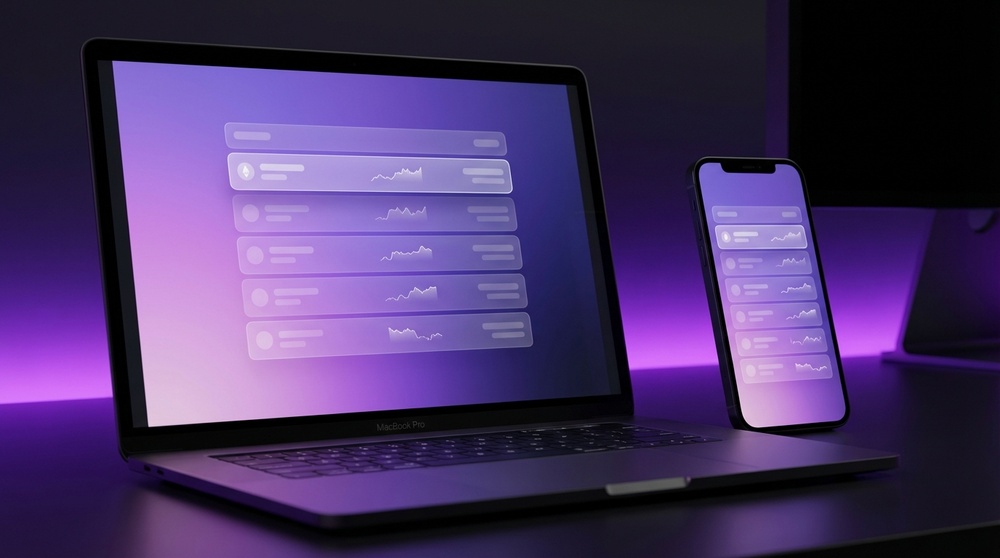
Modern, intuitive interface of Atomic Wallet
Step 1: Download & Install
Go to the official Atomic Wallet website and download the version for your OS. Installation is standard and takes 2-3 minutes.
Critical Reminder
Your seed phrase is the only way to recover your funds. No customer support can restore your wallet without it. Never share it with anyone, not even support staff.
Built-in Exchange & Atomic Swaps
Need to swap Bitcoin for Ethereum? Skip the exchange. Atomic Wallet lets you swap hundreds of assets directly in the app—no sign-ups, no KYC, no centralized exchange required.
Swap hundreds of assets in seconds, directly in your wallet
How Swaps Work
Atomic Wallet uses multiple methods for the best rates:
Atomic Swaps
Peer-to-peer, cross-chain swaps via smart contracts. No intermediaries, fully decentralized.
Integrated Partners
Powered by leading non-custodial services like ChangeNow and Changehero for a wide selection and competitive rates.
Buy with Fiat
Integrated with Simplex and Banxa to buy crypto directly with a credit/debit card.
How to Swap in 6 Steps
- Open the "Exchange" tab.
- Select the asset to send (e.g., BTC).
- Select the asset to receive (e.g., ETH).
- Enter the amount—see the rate and fee instantly.
- Click "Exchange" and confirm.
- Wait for the transaction to complete. Funds arrive automatically.
Staking: Earn Passive Income
Why just hold crypto when it can earn for you? Staking lets you earn rewards for supporting blockchain networks.
Staking in Atomic Wallet: Put your assets to work
Staking involves locking up your coins to support a network's operations (like validating transactions). In return, you earn rewards, similar to interest.
| Coin | Approx. APY | Minimum | Reward Frequency |
|---|---|---|---|
| Tezos (XTZ) | ~5–6% | No minimum | Every ~3 days |
| Cosmos (ATOM) | ~7–10% | No minimum | Every ~7 days |
| Tron (TRX) | ~4–5% | No minimum | Every ~24 hours |
| Cardano (ADA) | ~3–5% | No minimum | Every ~5 days |
| Algorand (ALGO) | ~4–6% | No minimum | Automatically |
* Rates are approximate and vary with market conditions. Check the app for current rates.
Unlike centralized platforms, staking in Atomic Wallet is non-custodial. Your coins never leave your control; you simply delegate staking rights.
NFT Support
NFTs (Non-Fungible Tokens) represent unique digital items like art, collectibles, and in-game items. Atomic Wallet lets you store and view your NFT collections directly.
The wallet supports Ethereum-based NFTs (ERC-721 and ERC-1155 standards). View your collection, see metadata, and manage your digital assets alongside your crypto.
What You Can Do
- View all NFTs in your portfolio
- Send and receive NFTs
- View NFT metadata and images
- Manage collections across wallets
Supported Standards
- ERC-721 – Standard NFTs
- ERC-1155 – Multi-token standard
- Polygon (MATIC) NFTs
- Web3 ecosystem compatible
Security & Privacy
In crypto, security isn't a feature—it's everything. Here’s how Atomic Wallet protects your assets.
Local Key Storage
Private keys and seed phrases are encrypted and stored only on your device. Servers never have access.
Local Encryption
Your local wallet database is encrypted with AES. Your password decrypts it only on your device.
Open-Source Transparency
Client code is open-source, allowing community audits for vulnerabilities and trust.
Password & Biometrics
App access is protected by a password and, on mobile, biometrics (Touch ID/Face ID).
No KYC, No Tracking
No personal data is collected. Your financial privacy is maintained.
Seed Phrase = Total Control
Your 12-word phrase is the master key. If you lose it, no one can recover your funds. Guard it.
Critical Security Rules
Your security is your responsibility. Always:
- Never enter your seed phrase on any website or for "support."
- Download Atomic Wallet only from the official site.
- Use a strong, unique password and update the app regularly.
- Store your written seed phrase in multiple secure physical locations.
- Never install the wallet on compromised or jailbroken devices.
"In crypto, security isn't just a feature of the app—it's a user culture. The app provides the tools; how you use them defines your safety."
Pros and Cons
No wallet is perfect. Here’s a balanced look at Atomic Wallet's strengths and weaknesses.
Pros
- Supports 1000+ coins & tokens
- Full control over private keys
- No registration or KYC required
- Built-in exchange & Atomic Swaps
- Staking for passive income
- Cross-platform (Win, Mac, Linux, iOS, Android)
- Open-source client code
- Intuitive for beginners
- NFT support (ERC-721/1155)
- Buy crypto with card (Simplex/Banxa)
- Free to use (network fees only)
- Multi-language interface
Cons
- No built-in 2FA in the app
- No hardware wallet support (Ledger, Trezor)
- Exchange rates may be higher than top CEXs
- Limited direct DeFi protocol integration
- No multi-signature (multisig) support
- Mobile app can be slower than desktop
- Email-only support (no live chat)
Atomic Wallet vs. The Competition
How does Atomic Wallet stack up against popular alternatives?
| Feature | Atomic Wallet | Trust Wallet | Exodus | MetaMask |
|---|---|---|---|---|
| Type | Desktop + Mobile | Mobile Only | Desktop + Mobile | Browser + Mobile |
| Assets | 1000+ | 1000+ | ~250 | EVM tokens (infinite via custom) |
| Staking | Built-in | Yes | Yes | Via DApps |
| DEX/Swap | Built-in | Yes | Yes | Swap |
| No KYC | Yes | Yes | Yes | Yes |
| Open Source | Partial | Yes | No | Yes |
| Desktop App | Yes (Win/Mac/Linux) | No | Yes | Extension |
| Buy with Card | Yes | Yes | Yes | Yes |
| NFT Support | Yes | Yes | Yes | Yes |
| Best For | All-in-one, multi‑asset | Mobile DeFi & DApps | Beginners, visual users | Ethereum/Web3 DApps |
Atomic Wallet excels at being a universal, all‑in‑one solution: massive coin support, built‑in exchange, staking, and cross‑platform access in a single app.
Frequently Asked Questions
Is Atomic Wallet safe?
Atomic Wallet is a non‑custodial wallet, meaning you control your keys. Your seed phrase is stored only on your device. This is fundamentally safer than keeping funds on an exchange. Your security is your responsibility—guard your seed phrase.
What if I delete the app or lose my phone?
Your assets are on the blockchain, not in the app. Reinstall the app on any device, enter your 12‑word seed phrase, and your full portfolio will be restored.
Is Atomic Wallet free?
The app is free. You only pay standard network fees for transactions and small fees for swaps (paid to the exchange partners, not Atomic).
Can I use it on multiple devices?
Yes. Install the app on any device, restore with your seed phrase, and your full wallet syncs automatically.
How do I recover a lost wallet?
Install the app, choose "Restore Wallet," and enter your 12‑word seed phrase in the exact order. If you lose the phrase, your funds are irrecoverable.
Does it support my language?
Yes, the interface is available in multiple languages, including Russian, making it accessible for many users.
Can I buy crypto inside the wallet?
Yes. Via integrated partners (Simplex/Banxa), you can buy crypto with a credit/debit card directly in the app.
Can I use it with DeFi apps?
Atomic Wallet has built‑in exchange and staking. For advanced DeFi (Uniswap, Aave, etc.), you may prefer a Web3 wallet like MetaMask for direct dApp interaction.
Final Verdict: Who Is Atomic Wallet For?
After this deep dive, it's clear: Atomic Wallet is a powerful, all‑in‑one non‑custodial wallet that balances features with ease of use.
Atomic Wallet is perfect if you:
- Hold a diverse portfolio across multiple blockchains
- Value privacy and want zero KYC
- Want to swap assets without leaving your wallet
- Want to earn staking rewards on your holdings
- Are new to crypto and want a simple, all‑in‑one solution
- Use multiple devices (desktop + mobile)
- Demand full control of your private keys
Ready to take control of your crypto?
Download Atomic Wallet now to manage 1000+ coins, swap instantly, stake for rewards, and own your keys—no sign‑up, no KYC, no middlemen.
Go to the Official Atomic Wallet SiteDisclaimer: This review is for informational purposes only and is not financial advice. Cryptocurrency markets are volatile and high‑risk. Always conduct your own research (DYOR) before using any financial product.