















What Is a Seed Phrase in Simple Terms?
A seed phrase is a set of 12 or 24 common English words that a crypto wallet can use to regenerate every private key and address it contains. It is not really a password, but the wallet itself in text form: whoever has these words controls the funds, regardless of which device they enter them on.
A wallet generates this phrase only once—when the app is first launched or a hardware device is activated. The words are selected randomly from a special word list, and their order matters: swapping two words creates a different wallet with different addresses and no access to the original funds.
A seed phrase looks something like this: apple, garden, tiger, coffee, orange, planet, and so on—twelve or twenty-four words separated by spaces, with no numbers or punctuation. The wallet displays it once during setup and asks you to write it down on paper; after that, the phrase usually cannot be viewed again through the app interface.
The term comes from the BIP-39 standard adopted by most crypto wallets, including MetaMask, Trust Wallet, Ledger, Trezor, Exodus, and dozens of others. Thanks to this shared standard, a phrase generated in one app can be entered into another to restore the same addresses and balance. This is known as wallet interoperability.
The word seed reflects how the mechanism works: just as a single seed grows into an entire tree with branches and leaves, a wallet uses one phrase to grow a whole tree of keys and addresses for different coins and networks. This principle is called a hierarchical deterministic wallet (HD wallet), and it is covered in the next section.
Other Names for a Seed Phrase
Wallet interfaces and articles use several synonyms: mnemonic phrase, recovery phrase, backup phrase, or simply seed. They all refer to the same thing—a set of words from which the entire wallet is derived, not just a single address.
How a Seed Phrase Works and Generates Wallet Keys
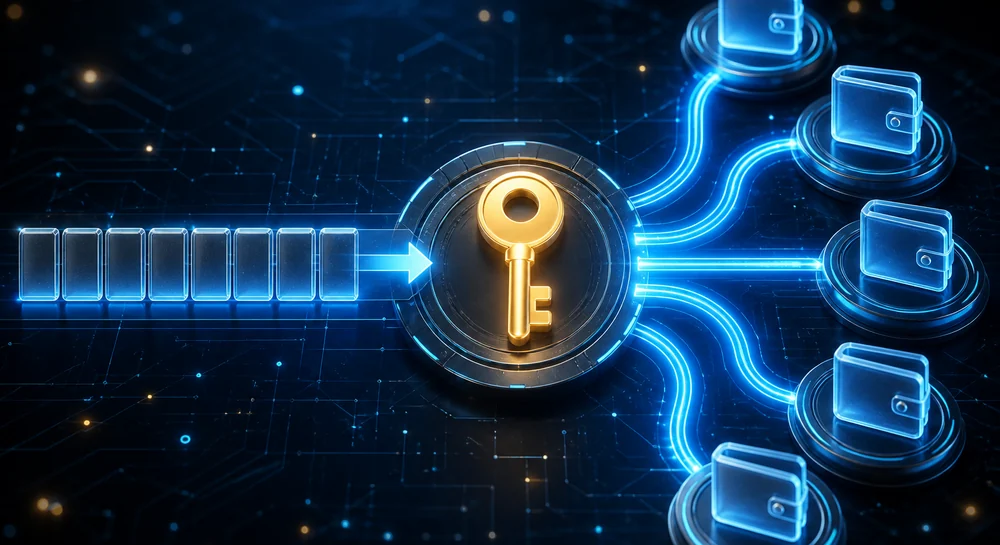
A wallet converts a seed phrase into a single master key using a strict mathematical algorithm, then uses the same formula to derive any number of private keys and addresses for different coins. The process is one-way: any wallet address can easily be generated from the phrase, but deriving the phrase from the addresses is impossible—it would require more computing power than exists on the entire planet.
Technically, the process has two steps. First, the words in the phrase, together with an optional passphrase, are processed through the PBKDF2 function, producing a 512-bit number known as the master seed. Then, under the BIP-32/BIP-44 standard, a derivation path such as m/44'/60'/0'/0/0 is used to derive a specific private key for a particular coin and address index from the master seed.
This is why one phrase protects not just one wallet but many: changing the final digits of the derivation path generates the second, third, or hundredth Ethereum address from the same 12 words, while changing another section of the path generates addresses for Bitcoin, Solana, BNB Chain, and other networks. There is no need to keep a separate backup for each coin: when you restore the phrase in a new app, the wallet recalculates all the addresses and finds the same balances.
The last word in the phrase is not random: it is calculated as a checksum of all the preceding words and allows the wallet to immediately detect a typo or incorrect word order during entry. Without this check, the error might only become apparent when the expected balance was missing. The checksum also makes accidentally guessing someone else's valid phrase nearly impossible: even if an attacker finds 23 correct words, the 24th must still match the checksum.
The entire process is deterministic: the same words in the same order always produce the same set of keys on any device and in any wallet compatible with the standard. This is the defining property of a seed phrase: it is not stored on a server or tied to a specific phone, but can restore the entire wallet on its own.
How a Seed Phrase Differs from a Private Key and an Exchange Password
A seed phrase is a master secret from which thousands of private keys are derived; a private key is one specific key for one specific address, generated from the phrase; an exchange password does not provide direct access to the coins at all—it only grants access to an account whose keys are stored and controlled by the exchange itself.
| Feature | Seed phrase | Private key | Exchange password |
|---|---|---|---|
| What it protects | The entire wallet: hundreds of addresses and coins | One specific address | An account on a specific exchange |
| Who actually controls the coins | The phrase holder | The key holder | The exchange (custodial storage) |
| Can it be reset or changed? | No, the funds can only be transferred to a new wallet | No, it is permanently tied to the address | Yes, via email or customer support |
| Format | 12–24 English words | A 64-character string (hex) or WIF | A custom string created by the user |
| What happens if it is lost | Complete loss of access to all funds | Loss of access to one address | Recovery through the exchange's support team |
Confusion most often arises between the second and third columns of the table. A private key can be exported from a non-custodial wallet for a single address—for example, to import it into another application—but it is not the same as a seed phrase: the key cannot generate the wallet's other addresses; it protects only that specific address.
An exchange password is not the same as a seed phrase
On an exchange such as Binance or Bybit, a password and two-factor authentication protect access to the account, but the coins themselves are held in the exchange's wallets, not on the user's device. If the exchange is hacked or becomes insolvent, the password will not protect the funds—unlike a non-custodial wallet's seed phrase, where only the person who has the phrase controls the money.
This explains the different security practices for each of the three secrets. An exchange password can and should be changed regularly, stored in a password manager, and recovered via email if lost—it belongs to a standard user account. A seed phrase and the private keys derived from it, however, cannot be changed at all: the only way to “change” the phrase is to create a new wallet with a new phrase and manually transfer all funds from the old wallet. This is covered in detail in the section on changing a seed phrase later in the article.
How many words are in a seed phrase, and why 12 or 24
A seed phrase most commonly consists of 12 or 24 words, although the BIP-39 standard supports five lengths: 12, 15, 18, 21, and 24 words. The number of words is directly related to the number of random bits encoded in the phrase: the more words, the more possible combinations and the harder the phrase is to brute-force. A 12-word phrase already provides more than enough security against any practical attack, while 24 words are used for an additional safety margin and in hardware wallets.
| Words | Entropy | Number of combinations | Most common use |
|---|---|---|---|
| 12 | 128 bits | 2¹²⁸ | Most software wallets: MetaMask, Trust Wallet, Phantom |
| 15 | 160 bits | 2¹⁶⁰ | Rarely, in certain applications |
| 18 | 192 bits | 2¹⁹² | Rarely |
| 21 | 224 bits | 2²²⁴ | Almost never used |
| 24 | 256 bits | 2²⁵⁶ | Hardware wallets: Ledger, Trezor; institutional custody |
In practice, the difference between 12 and 24 words has almost no effect on real-world security if the phrase was generated using a genuinely random process. 128 bits of entropy already provides 340 undecillion possible combinations—a number comparable to the number of atoms in the observable universe. Such a phrase cannot be cracked by brute force now or in the foreseeable future, even as computing technology advances. The standard's developers included this safety margin to account for potential future breakthroughs in cryptanalysis, not because 12 words are insufficient today.
The phrase length is usually chosen by the wallet rather than the user: many mobile applications use exactly 12 words for easier entry and recovery, while hardware wallets have historically preferred 24 as a more conservative option and to meet certain corporate security policies. Some devices, such as Trezor, let you choose the length when creating a wallet. In that case, 24 words may be preferable for large amounts simply for an additional psychological and regulatory safety margin, although there is no mathematical need for it.
It is also important to distinguish between the length of the phrase itself and an additional layer of protection—the so-called 25th word, or passphrase. This is a custom word or phrase created by the user and added on top of the standard 12 or 24 words. It is not stored anywhere on the device and turns a single seed phrase into an unlimited number of different wallets, depending on the passphrase entered. This is an advanced technique and should be used only with a full understanding of the consequences: forgetting the passphrase causes the same irreversible loss of access to the wallet as losing the seed phrase itself.
How to generate and record a seed phrase correctly when creating a wallet
The phrase must be generated by the wallet itself—on the device where you will use it, not by a third-party generator website. The correct procedure is to create the wallet offline or in the official application, copy the words by hand onto paper or directly onto metal, verify their order and spelling, test wallet recovery, and only then deposit funds into the wallet.
The phrase must be generated offline: either on a hardware wallet with a built-in hardware random number generator that never transmits the phrase over the network, or in an official mobile or desktop application downloaded from the official website or app store and installed on a device free of suspicious software. Never use websites that offer to “generate a seed phrase online”: such a website sees the phrase before you do and can steal it as it is created—the internet is full of phishing generators designed specifically for this scenario.
Write down the words by hand, one at a time, checking the number and spelling immediately after each entry rather than relying on memory at the end. A single incorrect letter or two words in the wrong order will create an entirely different wallet with a different balance. It is therefore best to use block letters and a numbered template (1–12 or 1–24), and to check every word against the screen once more before storing the physical copy somewhere out of sight and reach of others.
What not to do when recording a seed phrase
Never photograph the phrase with your phone, take a screenshot of it, save it in notes, a password manager, the cloud, or email, send it to yourself in a messenger “just in case,” or enter it on any website—even one claiming to represent wallet support. Legitimate support will never ask for your seed phrase: such a request is the first and most reliable sign of a scammer.
Verification through wallet recovery is the step most often overlooked, even though it is precisely what catches typos and words in the wrong order before real funds are transferred to the wallet. It takes only a few minutes: remove the wallet from the app (the balance will not disappear, as it remains on the blockchain), restore it by entering the phrase you wrote down, and check that the resulting address matches the previous one. If the addresses do not match, there is an error in the record that must be found before funding the wallet.
Where and how to store a seed phrase to prevent theft or loss
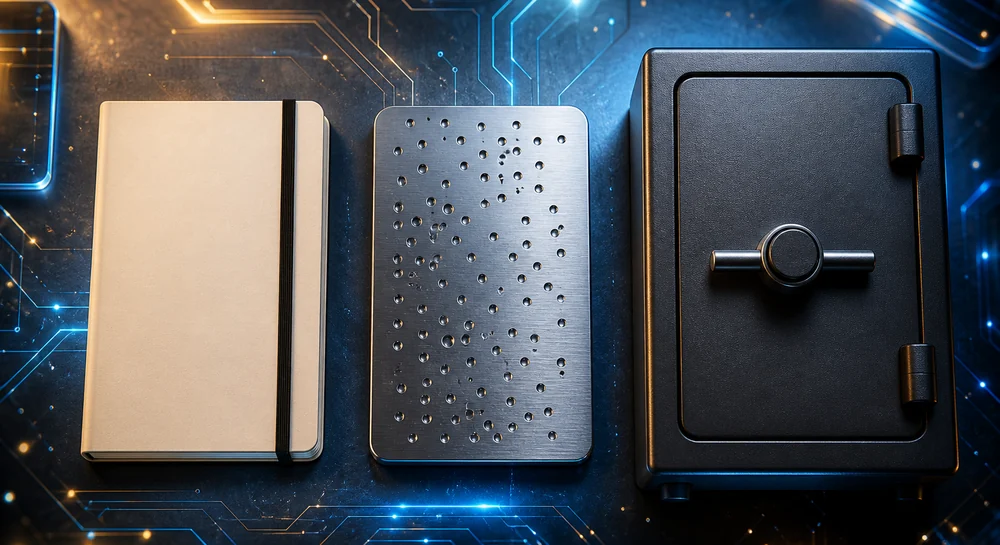
The best option is offline storage on a physical medium—paper or metal—hidden somewhere inaccessible to others and protected from fire and water, preferably with several copies kept in different locations. There is no single perfect method: the choice depends on the amount held in the wallet and which risk matters more to you—theft by a third party or physical loss due to fire, flooding, or relocation.
| Storage method | Protection against theft | Protection against fire and water | Cost | Best suited for |
|---|---|---|---|---|
| Paper hidden at home | Medium | Low | Free | Small amounts, temporary solution |
| Metal plate with stamped words | Medium | High (withstands 500–1,500°C) | 20–100 $ | Medium and large amounts |
| Home safe | High | Depends on the safe’s rating | 100–500 $ | Medium amounts when quick access is needed |
| Safe deposit box | Very high | Very high | Rental fee | Large amounts, infrequent access |
| Shamir’s Secret Sharing (SLIP-39) | Very high | Depends on where the shares are stored | Free to inexpensive | Very large amounts, advanced users |
Paper is the most accessible but also the most vulnerable option: it burns, becomes waterlogged, fades, and deteriorates over several years. Metal plates and capsules (Cryptosteel, Billfodl, and similar products) specifically address the risk of natural disasters—the words are stamped into them or assembled from fire-resistant letters, allowing the plate to survive a fire that destroys an entire house. Metal offers no better protection against theft than paper: if someone finds the hiding place, the material of the physical copy no longer matters.
A home safe adds protection against theft and, to some extent, fire—but only if it is a certified safe of the appropriate rating, not a decorative lockbox. A bank safe deposit box provides the highest level of protection against both risks at once, but makes quick access difficult: if you need to recover your wallet on a weekend or while in another city, the phrase will remain inaccessible until you can visit the bank.
A practical setup for most users
Make 2–3 copies on metal or laminated paper and store them in different physical locations—for example, in a safe at home, with a trusted relative, and in a bank safe deposit box. This way, a single fire, flood, or theft at one location will not cut off access to your funds, while compromising one copy will not give a third party full access without the remaining copies.
A common mistake: storing the phrase next to the device itself
If the seed phrase is kept in the same drawer, bag, or safe as the hardware wallet, a thief who finds one automatically gets the other. The medium containing the phrase should always be kept physically separate from the device it can restore.
An advanced option is Shamir Backup (the SLIP-39 standard, supported by devices such as the Trezor Model T): instead of one phrase, the wallet generates several shares, and a predefined number of them—say, 3 out of 5—must be combined for recovery. This protects against both the theft and the loss of a single copy, but makes the process more complex and is suitable for users willing to understand how it works in advance, rather than when they already need to recover their funds. Splitting a regular phrase in half yourself is a poor substitute: knowing some of the words sharply reduces the entropy of the remaining half and does not provide the genuine cryptographic protection offered by SLIP-39.
Can you store a seed phrase digitally: photos, notes, and cloud storage
Technically, yes, but security experts advise against it: any digital medium—a gallery photo, a note, or a cloud file—eventually becomes connected to the internet and therefore exposed to malware, account breaches, or accidental synchronization. The only relatively safe form of digital storage is a purpose-built encrypted offline container on an air-gapped device, but even that is less reliable than plain paper or metal kept in a secure location.
| Method | Risk level | Primary compromise vector |
|---|---|---|
| Screenshot in the phone's gallery | Very high | Stealer malware scans the gallery and uses OCR to extract text from images |
| Note in a notes app / Notes | Very high | Access to notes after an Apple/Google account breach; cloud synchronization |
| Cloud file (Google Drive, iCloud, Dropbox) | High | Leaked cloud account password, phishing, or a breach of the cloud service itself |
| Password manager | Medium | Compromise of the master password or the password manager service itself |
| Encrypted offline container (VeraCrypt or similar) | Low to medium | Forgotten container password or a keylogger capturing it as it is entered |
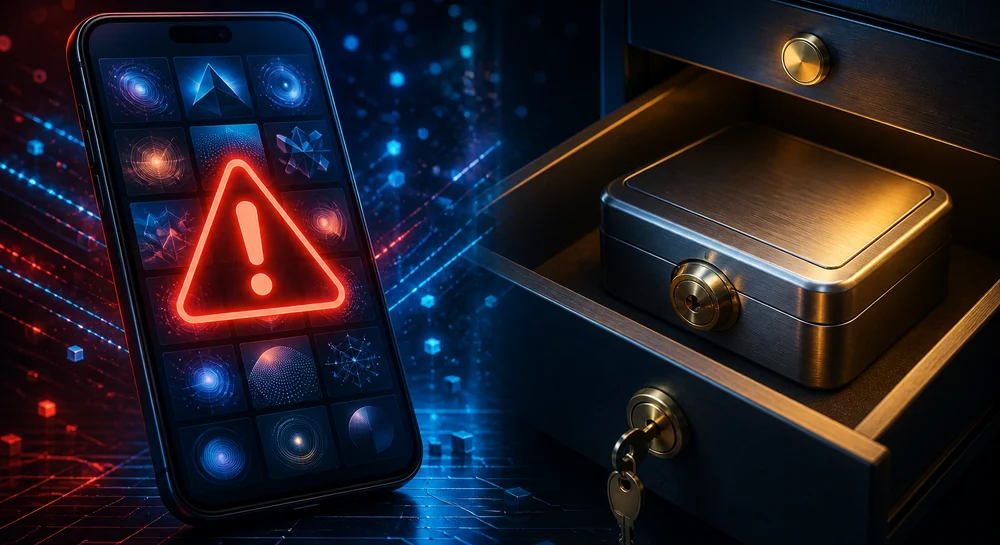
Screenshots and gallery photos are the most dangerous option of all: entire families of malware—clipper and stealer trojans—are specifically designed to scan images on a device, extract text from them, and look for patterns resembling a seed phrase, such as 12 or 24 consecutive words. Infection happens silently through pirated software, fake wallet apps, or malicious browser extensions, and victims often discover the theft only after finding their balance empty.
Automatic synchronization increases the risk even further
If automatic gallery synchronization with Google Photos or iCloud is enabled on your phone, a screenshot of the seed phrase is immediately copied to a third party's servers. Its security then depends not only on your phone, but also on the security of your cloud account, which can be compromised separately and without your knowledge.
Password managers such as 1Password and Bitwarden are considered a relatively safer digital option because their data is encrypted locally with a master password rather than stored in plain text. Nevertheless, hardware wallet manufacturers still advise against keeping a seed phrase in one as the only copy: a password manager is a single point of failure that can expose all your secrets at once if the master password or cloud account is compromised. For an advanced user with a strong master password and hardware-based 2FA, the risk may be acceptable as an additional copy, but not as the only one; offline storage should remain the primary backup.
What happens if you lose your seed phrase
If the wallet containing your funds is still installed and accessible on the device, nothing happens immediately—you can continue using it as usual. The risk lies in the future: if the phone later breaks, the app is accidentally deleted, or the device is reset to factory settings, there will be no way to restore access because neither the wallet developer, the exchange, nor technical support keeps a copy of the phrase or has any technical means to recover it.
What to do first if the backup is lost but the wallet still works
As long as the app still opens and the balance is visible, the situation can be remedied: immediately create a new wallet, carefully record its seed phrase according to the guidelines in the phrase generation section, and transfer all funds from the old address to the new one. Delaying this step is risky—the phone could fail, be lost, or run out of power at the worst possible moment without any warning.
A significant share of all Bitcoin and other coins lost throughout their history disappeared because of missing seed phrases and private keys rather than hacks—statistically, this is a more common cause of permanent loss of funds than theft. There is no way to reverse the situation: unlike a bank account, there is no database containing your name and no option to verify your identity and regain access. The blockchain does not know who you are; it only checks whether the cryptographic signature is valid.
There is a narrow range of exceptions where losing the phrase does not mean losing your funds. A custodial exchange account can be recovered through email and support because the exchange itself, rather than the user, holds the keys. Multisig wallets and smart contract wallets with social recovery features (such as Argent) allow access to be restored through several trusted contacts or devices without a single seed phrase.
| What exactly was lost | Access to funds | What to do |
|---|---|---|
| The phrase is lost, but the wallet device still works | Still available | Create a new wallet immediately and transfer the funds |
| The device is broken or lost, and the phrase is not stored anywhere | No | Recovery is impossible; the funds are permanently lost |
| The additional passphrase (the “25th word”) has been forgotten | No, even with the correct base phrase | Brute-forcing is possible only if the passphrase is short and predictable |
| 1 word out of 12–24 has been forgotten | Highly likely to be recoverable | Try all 2,048 possible words in that position |
| 2–3 words have been forgotten | Recoverable with difficulty | Trying millions to billions of combinations requires tools such as BTCRecover |
The search space grows exponentially with every forgotten word. If one word in the phrase is unknown, there are exactly 2,048 possibilities, which an ordinary computer can check in seconds. If two words are forgotten, there are more than 4 million possibilities, which can still be handled within a few hours. With three forgotten words, the number of combinations exceeds 8 billion, and brute-forcing can take days or weeks even on powerful hardware. Four forgotten words generally make recovery practically impossible without additional clues, such as a known address range.
A separate warning is warranted about fraudulent “seed phrase recovery services”: advertisements and comments under videos about lost wallets regularly offer to restore access in exchange for a percentage of the funds. Legitimate tools for brute-forcing forgotten words are free and open source (BTCRecover and similar tools), must be run locally on your own computer, and work only when a small number of words are unknown. Any paid “specialist” promising to recover a completely lost phrase or even a single word without additional information is almost certainly a scammer who, at best, will do nothing and, at worst, will ask for access to whatever wallet data remains.
What happens if someone else learns your seed phrase
Anyone who learns your seed phrase gains exactly the same full access to the wallet as you and can withdraw all funds at any time. The only effective response is to immediately create a new wallet with a new phrase on a clean device and transfer everything that remains before the attacker does. Waiting and “just monitoring the balance” is a sure way to lose everything.
Bots can drain wallets in seconds
Leaked seed phrases are often detected by automated bots that scan leaked databases and monitor the mempool around the clock. As soon as a phrase becomes known, funds may be stolen within seconds of the wallet’s first transaction. This means that by the time someone manually opens the app, the funds may already have been transferred—but until that happens, the owner still has a real chance to act first.
A phrase most often reaches an unauthorized party through one of the methods already described: a phishing website posing as an official wallet or support service; a malicious app disguised as a genuine wallet in an unofficial store; an infostealer trojan scanning the gallery and notes on an infected device; or a compromised cloud account where the phrase was stored contrary to the guidance in the digital storage section above. Identifying the specific source of the leak does not change the response plan—the clock is always ticking, and the “new wallet, transfer funds” procedure is the same regardless of the cause.
Can a seed phrase be changed or updated?
A seed phrase itself cannot be changed: it is mathematically linked to all the wallet’s keys and addresses, and “editing” it is as impossible as editing an existing bank card number without closing the account. The only way to effectively change the phrase is to create a new wallet with a new, randomly generated phrase and manually transfer all funds from the old wallet to it.
Why you cannot simply generate the phrase again in the same wallet
The “generate a new seed phrase” button in an app does not replace the old phrase for existing addresses—it creates a completely separate new set of keys and addresses with a zero balance. The old addresses and the funds held at them continue to exist on the blockchain and remain accessible only with the old phrase. Without transferring the funds, the user simply gets a second, empty wallet rather than a secured version of the first one.
Updating the phrase makes sense in several specific situations: if you suspect that someone else has seen or may have seen it, even if there are no obvious signs of theft; if the original phrase was stored contrary to the recommendations in the sections above—for example, it was photographed or entered on a suspicious website; if the device on which the phrase was used is being sold, given to someone else, or was infected with malware; or simply as routine security hygiene every few years for wallets holding large amounts.
Network fees should be factored into the transfer in advance: if the old wallet has accumulated many small transactions or different tokens, transferring each asset separately can cost a significant amount, especially on heavily congested networks such as Ethereum during peak hours. For wallets with dozens of small token balances, it may be more practical to first consolidate everything into one or two main assets through an exchange and then transfer the resulting balance to the new address—this is cheaper than moving each position separately.
Common seed phrase storage mistakes
The most common mistakes beginners make are storing the phrase digitally, failing to verify the backup through recovery, keeping only one copy in a single location, and disclosing the phrase in response to supposed “support” or “verification” requests. Each of these mistakes alone has caused real users to lose funds, and together they appear in almost every story about a stolen or lost wallet.
| Mistake | Potential consequences | How to avoid it |
|---|---|---|
| A screenshot or photo of the phrase in the gallery | Theft by malware that scans photos (see the section on digital storage) | Store it only offline on physical media |
| Only one copy in a single location | Complete loss in the event of a fire, flood, or home burglary | Keep 2–3 copies in different locations |
| The phrase is stored next to the wallet itself | Stealing the device automatically provides access to the phrase as well | Keep the backup and the device physically separate |
| Entering the phrase on a website in response to supposed “support” | The attacker immediately withdraws all funds | Never enter the phrase anywhere except in the wallet itself |
| The phrase has not been verified through recovery | A typo is discovered only when access is already needed | Perform a test recovery immediately after writing it down |
| Telling the phrase to a relative so they can “memorize” it | The phrase may be distorted when repeated and cannot be reproduced exactly | Provide only a sealed written copy |
The costliest mistake is entering the phrase in a panic at someone else’s request
A classic scam works like this: someone contacts the user while impersonating the wallet’s or exchange’s “support team” and claims there is an urgent account issue requiring them to “verify” their seed phrase on a linked website. Genuine support will never ask for the phrase—not in a chat, over the phone, or through a website form. Anyone asking you to enter or dictate it is a scammer, regardless of how convincing and official the request may appear.
Another less obvious but common mistake is using ready-made word sets, “suggestions,” or phrases invented manually instead of the one generated by the wallet. In an effort to memorize the phrase, some users try to create it themselves or choose meaningful words. This drastically reduces its entropy, turning a cryptographically secure phrase into a predictable one that is easier to brute-force using meaningful patterns. The phrase must be generated exclusively by the wallet’s random number generator, with no manual changes to the word order or selection.
Finally, a common organizational mistake is failing to plan what will happen to wallet access if the owner dies or becomes incapacitated. If no one else knows that the seed phrase exists or where it is stored, the funds may remain locked forever along with their sole owner. A sensible solution is to leave written instructions explaining where the copies are stored with a trusted person or lawyer, without revealing the phrase itself in advance and only explaining where and how to find it if necessary.
How to verify that a seed phrase has been recorded correctly
The only reliable verification method is a test recovery: remove the wallet from the app or reset the hardware device, then restore it by entering the recorded phrase and confirm that the resulting addresses match the original ones. Visually comparing the written words with those shown on the screen is not as reliable, because people tend to see in their own handwriting what they expect to see rather than what is actually written.
Before recovery, it is also worth checking the phrase against the BIP-39 wordlist: all 2,048 words have unique first four letters, so if a recorded word is not on the official list or has been shortened to something that sounds similar, this will be immediately apparent during verification. This check catches a common source of errors—similarly spelled English words that non-native speakers may confuse by sound or in writing.
| Common confusion | Word 1 | Word 2 |
|---|---|---|
| Similar spelling | desert | dessert (this word is not in the BIP-39 wordlist) |
| Similar pronunciation | quit | quiz |
| Singular/plural | onion | onions (only the singular form is in the dictionary) |
| Typo involving adjacent keys | lawn | lawsuit (when entered partially) |
After checking against the dictionary, perform the actual recovery test. It takes five to ten minutes and is completely safe for your balance: removing a wallet from the interface does not remove the coins themselves from the blockchain. They remain tied to the address and reappear as soon as the wallet is restored using the correct phrase. If the restored address matches the original at least in its first and last characters, the phrase was recorded correctly. If not, there is an error somewhere in the record, and you need to find and correct it before relying on this copy as your only backup.
Check each physical copy separately
If the phrase has been copied to several media—paper, metal, or a second copy kept by a relative—you should repeat the test recovery using each copy separately. Do not assume that if one is correct, the others must also have been copied without errors. Discrepancies most often arise when making the second or third copy, once your attention has already started to wane.
Seed phrases and hardware wallets: how storage differs
A hardware wallet generates the seed phrase inside the device's secure chip and never sends it to the connected computer or phone. Even when signing a transaction, only the signature leaves the device; the phrase itself never physically does. With a software wallet, the phrase is stored in the memory of the same device running the application, so it is exposed to the same risks as all other information on that phone or laptop.
| Feature | Software wallet | Hardware wallet |
|---|---|---|
| Where the phrase is stored | In the phone's/computer's memory | In the device's secure chip (secure element) |
| Attack surface | Malware, keyloggers, and stealers on the device | Primarily physical access to the device and PIN |
| Transaction signing | Takes place in the same application where the phrase is stored | Takes place on the device's separate screen, beyond the computer's reach |
| Cost | Free | $50–200 per device |
| Suitable for | Small amounts and frequent transactions | Large amounts and long-term storage |
The key difference in how the phrase is handled becomes apparent during recovery. On a hardware wallet, the words are entered directly on the device's screen using buttons or a touch wheel rather than a computer keyboard. This prevents a keylogger or malicious browser extension from intercepting the phrase during recovery. With software wallets, the phrase inevitably passes through the phone's system keyboard and clipboard during recovery, which may be accessible to applications installed on the device if they have the appropriate permissions.
A hardware wallet does not eliminate the need to store a paper copy securely
A common misconception is that because the phrase is “inside the device,” there is no need to record it separately. This is not true: if the device breaks, is lost, or is stolen, the only way to regain access is with the same seed phrase that was recorded on paper or metal during the initial setup. A hardware wallet protects the phrase from online theft, but it does not replace the physical backup described in the storage section above.
An additional layer of protection for hardware wallets is a PIN set on the device itself. After several incorrect attempts—usually 3–8, depending on the model—the device automatically erases its entire memory, including the seed phrase. This makes physically stealing the device useless without knowing the PIN. Many models also support a passphrase—an additional “25th word” that creates a hidden wallet inaccessible to anyone who knows only the main phrase and PIN but is unaware that the hidden wallet exists.
When buying a hardware wallet, make sure that the device arrives factory-sealed and generates the phrase itself when you first turn it on. If the package already contains a sheet with a “pre-generated” seed phrase or the security seals appear to have been tampered with, do not use the device: the phrase may have been compromised before the sale. Hardware wallets should be purchased only from the official manufacturer or its authorized distributors, not from random marketplace sellers.
Frequently asked questions about seed phrases
Can the same seed phrase be used in several different wallets at the same time?
Yes, provided both applications support the BIP-39 standard—the phrase will restore the same addresses in MetaMask, Trust Wallet, or any other compatible wallet. You can do this to view your balance, but actively using the same phrase in several applications at once is not recommended, as it increases the number of places where the phrase could potentially be compromised.
Does the language of the phrase affect its security?
No. BIP-39 wordlists are available in several languages (English, Japanese, Spanish, Chinese, and others), and a phrase's security depends solely on its entropy, not the language. It is important not to mix words from different language wordlists in the same phrase and to keep the backup in the language in which the phrase was originally generated.
Can the same word appear more than once in a seed phrase?
Yes, this is valid and does not reduce security: each word is selected independently of the previous ones, so repetitions occasionally occur statistically, especially in 24-word phrases. The wallet will work correctly with such a phrase, and it should be copied down just as accurately as any other, without trying to “correct” the repeated word.
Does connecting a wallet to a website via WalletConnect expose the seed phrase?
No. WalletConnect only transmits requests to sign specific transactions, while the phrase and private keys remain on the user's device and never leave the wallet. The risk lies elsewhere: carelessly approving a malicious signature request may authorize the website to transfer your tokens, but this is not related to exposing the seed phrase itself.
Do you need a seed phrase if all your coins are stored on an exchange?
No. A seed phrase is neither created nor required for an account on a centralized exchange (Binance, Bybit, and similar platforms): access to funds is protected by a password and two-factor authentication, while the exchange itself holds the private keys. A seed phrase is only created when a user sets up their own non-custodial wallet.
Can a wallet be restored from a seed phrase on any device and operating system?
Yes, provided the app on the new device supports the same BIP-39/BIP-44 standard—compatibility does not depend on the operating system or manufacturer. A phrase created in a mobile app on Android can restore the same addresses in the desktop version on Windows or macOS using the same or a compatible wallet.