













Keystone is a next-generation hardware cryptocurrency wallet that provides maximum security for your digital assets through complete air-gapped isolation from the internet. All transactions are signed via QR codes, eliminating any possibility of remote hacking. Discover professional-grade crypto protection!
📑 Review Contents
What is Keystone
Keystone (formerly known as Cobo Vault) is a premium hardware cryptocurrency wallet designed with maximum security in mind. The device's main feature is complete isolation from any network connections (air-gapped design). The wallet never connects to the internet, computer, or smartphone via USB, Bluetooth, or Wi-Fi.
🔐 Keystone Philosophy
The Keystone team adheres to a "zero trust" principle — the device is designed so users don't have to trust the manufacturer, software, or any third parties. Open-source code allows independent verification of every component's security.
Visit the Official Keystone Website →
Security & Technology
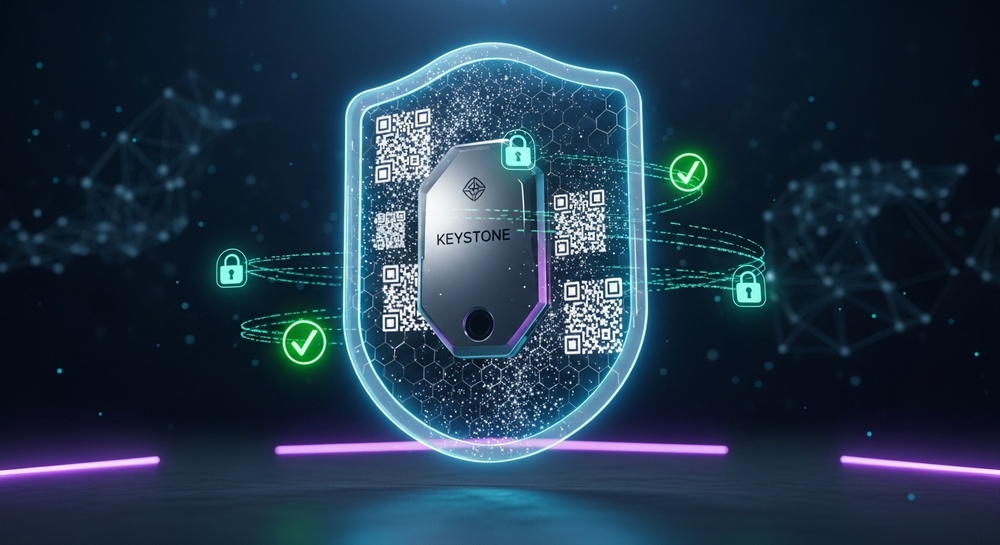
Air-Gapped Technology
Keystone uses a revolutionary approach to security — the device is completely isolated from the outside world. All communication occurs exclusively through QR codes:
- Receiving transactions — scanning QR codes from a computer or smartphone screen
- Signing transactions — displaying the signed QR code on the device screen
- No USB/Bluetooth/Wi-Fi — physical absence of communication modules
✅ Why Does This Matter?
Air-gapped architecture makes remote attacks, malware, keylogger attacks, and man-in-the-middle attacks impossible. Even if your computer is infected with viruses, your private keys remain completely safe inside Keystone.
Hardware Protection
🛡️ Secure Element (SE)
Bank-grade EAL5+ security chip for storing private keys. Protection against physical data extraction.
🔒 Self-Destruct Mechanism
If someone attempts to open the case, the device automatically wipes all data, protecting against physical attacks.
📱 Firmware Protection
Cryptographic verification of every update. Installing modified firmware is impossible.
🎯 Anti-Tampering
Visual indication of any tampering attempts. Web-based authenticity verification.
Open Source Code
Keystone is one of the few hardware wallets with fully open-source code. This means:
Key Features of Keystone
Large Touchscreen Display
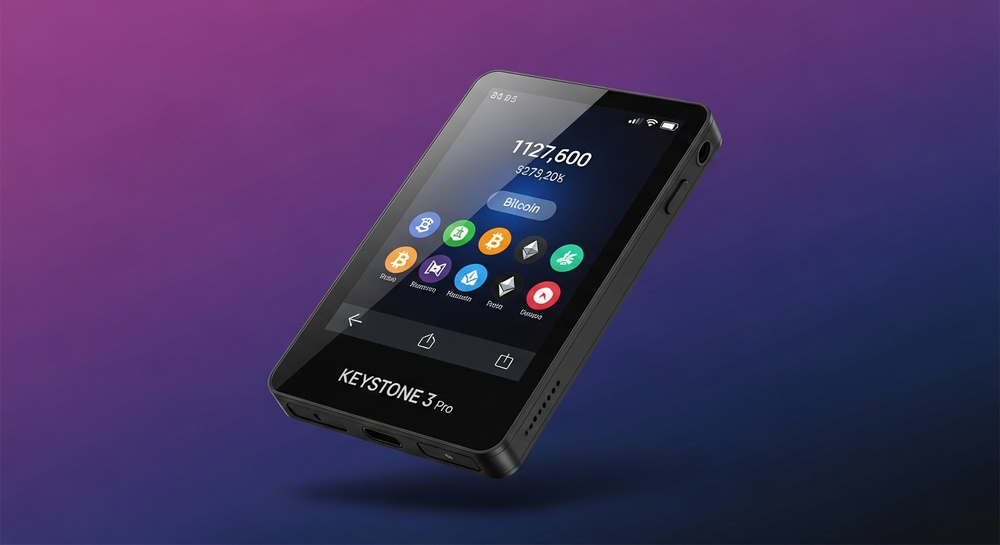
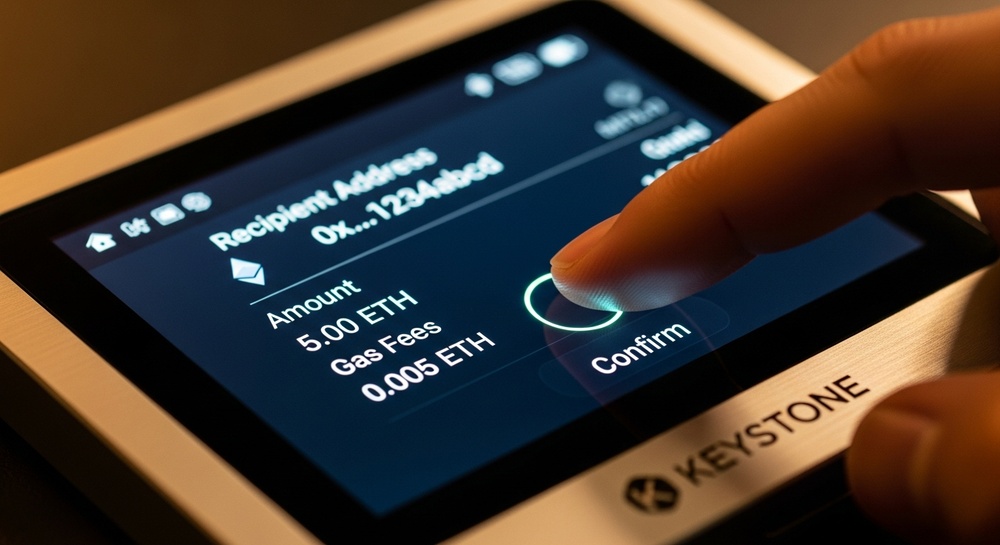
Keystone features a 4-inch high-resolution touchscreen display. This allows you to:
- Fully verify transaction details before signing
- See complete addresses, not truncated versions
- Conveniently manage the device without external buttons
- View balance and transaction history
Multi-Signature and Wallets
Multi-signature support: Keystone supports creating multisig wallets where multiple devices are required to sign a transaction. Ideal for corporate use and additional protection of large amounts.
Software Wallet Integrations
Keystone is compatible with popular software wallets via QR codes:
| Wallet | Networks | Integration Type |
|---|---|---|
| MetaMask | Ethereum, EVM chains | QR signing |
| OKX Wallet | Multi-chain | QR signing |
| Rabby | EVM chains | QR signing |
| Sparrow | Bitcoin | QR signing |
| BlueWallet | Bitcoin | QR signing |
| Keplr | Cosmos | QR signing |
| Solflare | Solana | QR signing |
Additional Features
- Fingerprint sensor — biometric device unlock
- Removable battery — ability to operate without the built-in battery using AAA batteries
- On-device seed phrase — generation and display without a computer
- Passphrase support — 25th word for additional protection
- NFT display — view NFT collections on the device screen
- DeFi integration — smart contract signing
🚀 Ready to Protect Your Crypto Assets?
Keystone offers professional-level security for cryptocurrency storage. Air-gapped technology and open-source code are your guarantee of protection.
Device Models
Keystone offers several models for different user needs:
Keystone 3 Pro
Price: ~$149
- 4-inch touchscreen
- Secure Element EAL5+
- Fingerprint scanner
- Support for 5500+ coins
- Multi-signature
- Removable battery
Optimal choice for most users
Keystone Essential
Price: ~$79
- 4-inch touchscreen
- Secure Element
- Basic protection
- Support for major coins
- Affordable price
Great choice for beginners
Supported Cryptocurrencies
Keystone supports over 5500 cryptocurrencies and tokens across various blockchains:
| Blockchain | Cryptocurrencies | Features |
|---|---|---|
| Bitcoin | BTC, SegWit, Taproot | Full PSBT support |
| Ethereum | ETH, ERC-20 tokens | DeFi, NFT, smart contracts |
| Solana | SOL, SPL tokens | DeFi integration |
| Cosmos | ATOM, IBC ecosystem | Staking support |
| Polygon | MATIC, tokens | Low fees |
| BNB Chain | BNB, BEP-20 | DeFi ecosystem |
| Arbitrum | ETH, L2 tokens | Layer 2 scaling |
| Optimism | ETH, OP tokens | Layer 2 scaling |
Continuous updates: The Keystone team regularly adds support for new blockchains and tokens through firmware updates.
Keystone Wallet Setup
Initial Setup
📋 Step-by-Step Guide
- Unboxing: Check packaging integrity and security seals
- Power on: Install the battery or connect power
- Create wallet: Select "Create New Wallet" on the screen
- Generate seed phrase: The device will generate 24 words
- Record phrase: Write down the words on the metal plate (included)
- Verification: Confirm the phrase by entering words when prompted
- Set PIN: Create a PIN code for unlocking
- Biometrics: Set up fingerprint (optional)
Connecting to MetaMask
- Open MetaMask and go to "Settings" → "Connect Hardware Wallet"
- Select the "QR-based" connection option
- On Keystone, open the "Connect Software Wallet" section
- Scan the QR code from the MetaMask screen
- Keystone will display a QR code with public keys
- Scan this QR code in MetaMask
- Done! Now transactions require signing on Keystone
⚠️ Important Security Rules
Never enter your seed phrase on a computer or smartphone. Never photograph your seed phrase. Store your backup in a safe place, separate from the device. Only use the official Keystone app.
Pros and Cons
✅ Advantages
- Complete network isolation (air-gapped)
- Open-source code
- Large convenient screen
- Support for 5500+ cryptocurrencies
- Integration with MetaMask, Rabby, and more
- Multi-signature support
- Biometric protection
- Removable battery
- Metal seed plate included
- Active community and support
❌ Disadvantages
- Price above mid-range segment
- Larger size than competitors
- QR signing takes getting used to
- No direct USB connection
- Battery requires replacement
Competitor Comparison
| Feature | Keystone 3 Pro | Ledger Nano X | Trezor Model T |
|---|---|---|---|
| Air-gapped | ✅ Yes | ❌ No | ❌ No |
| Open Source | ✅ Fully | ❌ Partially | ✅ Yes |
| Screen | 4" touchscreen | 1.28" OLED | 1.54" touchscreen |
| Connection | QR codes | USB, Bluetooth | USB |
| Biometrics | ✅ Fingerprint | ❌ No | ❌ No |
| Price | ~$149 | ~$149 | ~$179 |
Final Verdict
🏆 Rating: 4.7/5
Keystone is one of the most secure hardware wallets on the market. Air-gapped technology combined with open-source code makes it an ideal choice for those who take cryptocurrency protection seriously.
Recommended for: experienced users, HODLers with large holdings, corporate use, security-conscious crypto enthusiasts.
Not suitable for: those who prioritize compactness and frequent small transactions.
💎 Protect Your Crypto Assets with Keystone
Air-gapped security, open-source code, and support for 5500+ cryptocurrencies. Keystone is the professional's choice for reliable cold storage.
Disclaimer: This material is for informational purposes only and does not constitute financial advice. Before purchasing any hardware wallet, conduct your own research. Cryptocurrencies are subject to high volatility.