










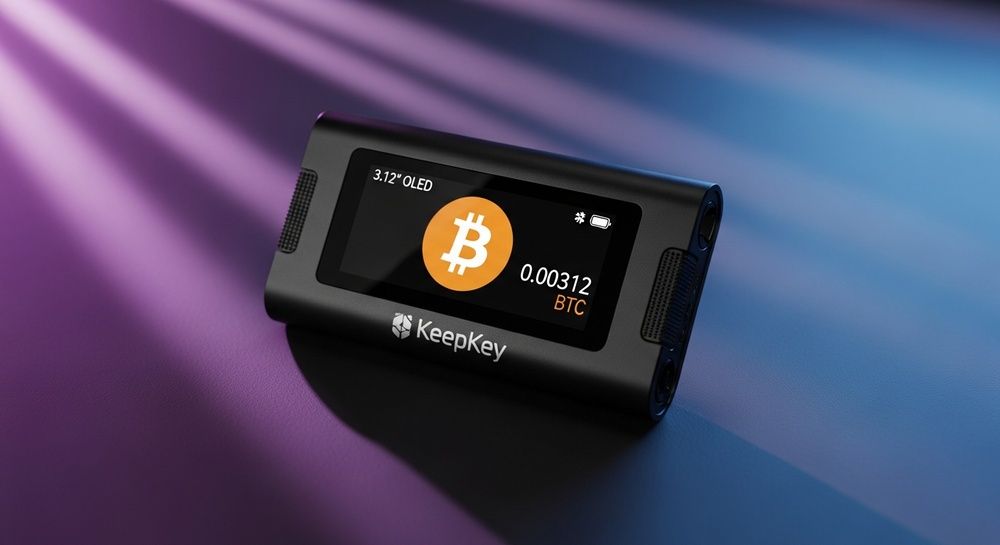
KeepKey is a premium hardware cryptocurrency wallet that combines elegant design, a large screen for convenient transaction verification, and deep integration with the ShapeShift platform. If you're looking for a reliable solution for long-term crypto asset storage with the ability to swap coins directly from your wallet — KeepKey deserves your attention.
📋 Review Contents
🔐 What is KeepKey
KeepKey is a hardware crypto wallet designed for secure offline storage of private keys. The device was created in 2015 and was later acquired by ShapeShift, providing it with robust software support and integration with a decentralized exchange.
The main distinguishing feature of KeepKey is its large OLED screen, which allows you to fully view addresses and transaction amounts without scrolling. This significantly simplifies transaction verification and reduces the risk of errors.
💡 Important to Know: KeepKey uses open-source code, allowing the community to verify firmware security and the absence of hidden vulnerabilities.
⚡ Key Features of KeepKey
🖥️ Large OLED Screen
The 3.12-inch display shows complete transaction addresses, eliminating the risk of sending funds to a spoofed address.
🔗 ShapeShift Integration
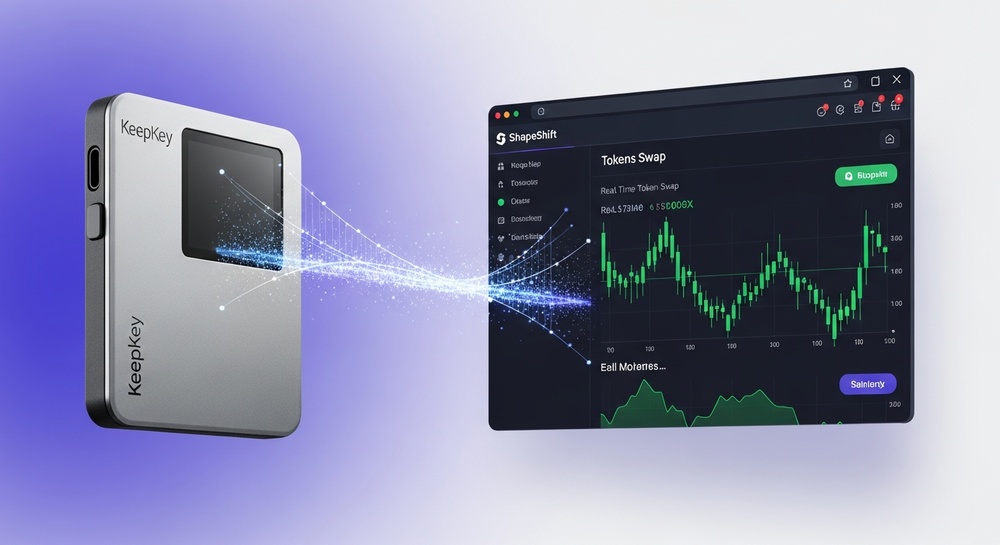
Built-in integration with the decentralized ShapeShift platform allows you to swap cryptocurrencies directly from the wallet interface.
🛡️ Metal Housing
The durable aluminum casing protects the electronics from physical damage and gives the device a premium look.
📖 Open Source
Fully open-source firmware. Any expert can verify security and the absence of backdoors.

🔒 Security & Protection
Security is the top priority for any hardware wallet, and KeepKey offers multi-layered protection for your crypto assets.
✅ KeepKey Protection Mechanisms
- Offline Key Storage — private keys never leave the device
- PIN Code — protection against unauthorized access when physically possessing the device
- 12-Word Seed Phrase — ability to recover the wallet if the device is lost
- Physical Confirmation Button — every transaction requires manual confirmation on the device
- Malware Protection — even on an infected computer, attackers cannot steal your funds
⚠️ Important Security Recommendations
Always verify the recipient address on the KeepKey screen before confirming a transaction. Store your seed phrase in a secure offline location — never save it digitally and never share it with anyone.
💰 Supported Cryptocurrencies
KeepKey supports a wide range of cryptocurrencies and tokens thanks to its integration with the ShapeShift platform.
| Category | Cryptocurrency Examples | Quantity |
|---|---|---|
| Major Coins | Bitcoin (BTC), Ethereum (ETH), Litecoin (LTC), Bitcoin Cash (BCH) | 40+ |
| ERC-20 Tokens | USDT, USDC, DAI, UNI, LINK, AAVE and others | 7000+ |
| Other Networks | Dogecoin (DOGE), Dash, DigiByte | 10+ |
📌 Note: The full list of supported assets is constantly expanding. Over 7000 tokens are available for swapping through the ShapeShift interface.
🔄 ShapeShift Integration
One of the main advantages of KeepKey is its deep integration with the decentralized ShapeShift platform. This gives users access to powerful functionality directly from the wallet interface.
🔄 Built-in DEX
Swap cryptocurrencies without intermediaries through decentralized protocols. Your funds remain under your control.
📈 Staking
Earn passive income on supported cryptocurrencies through integrated DeFi protocols.
📊 Portfolio
Track the value of all your assets in real-time through a unified interface.
🌐 Web Interface
Manage your wallet through the convenient web interface at app.shapeshift.com without installing additional software.
🚀 How to Set Up KeepKey
Setting up KeepKey is simple and takes just a few minutes. Follow the step-by-step instructions:
📝 Step-by-Step Setup Guide
Step 1: Unboxing
Make sure the packaging is undamaged and the security seal is intact. This ensures the device has not been compromised.
Step 2: Connection
Connect KeepKey to your computer using the USB cable included in the package.
Step 3: Access the Platform
Open app.shapeshift.com in Chrome, Firefox, or Brave browser.
Step 4: Initialization
Follow the on-screen instructions to create a new wallet or restore an existing one.
Step 5: Record Seed Phrase
Write down the 12 recovery words on paper and store them in a secure location.
Step 6: Set PIN Code
Create a strong PIN code to protect access to the device.
⚖️ KeepKey Pros and Cons
✅ Advantages
- Large screen for full address display
- Open-source code
- Premium metal housing
- ShapeShift DEX integration
- Staking support
- Support for over 7000 tokens
- Simple and intuitive interface
- Affordable price in the hardware wallet segment
❌ Disadvantages
- No Bluetooth connectivity
- No mobile app
- No NFT support
- No Secure Element
- Limited compatibility with some blockchains
- Dependence on the ShapeShift platform
📊 Comparison with Competitors
| Feature | KeepKey | Ledger Nano X | Trezor Model T |
|---|---|---|---|
| Screen Size | 3.12" OLED | 0.5" OLED | 1.54" LCD |
| Open Source | ✅ Fully | ❌ Partially | ✅ Fully |
| Bluetooth | ❌ | ✅ | ❌ |
| Built-in DEX | ✅ ShapeShift | ✅ Ledger Live | ✅ Trezor Suite |
| Staking | ✅ | ✅ | ✅ |
| NFT Support | ❌ | ✅ | ✅ |
| Secure Element | ❌ | ✅ | ❌ |
👤 Who is KeepKey For
💼 Long-Term Investors
Ideal for those who buy cryptocurrency for long-term holding (HODL) and want maximum security.
🔒 Privacy Enthusiasts
Open-source code and integration with the decentralized ShapeShift platform ensure a high level of privacy.
💰 Large Sum Holders
The large screen eliminates the risk of errors when verifying transactions with large amounts.
🆕 Beginners
The intuitive interface and simple setup make KeepKey an excellent choice for newcomers to the world of hardware wallets.
⚠️ KeepKey May Not Be Right for You If:
- You actively work with NFTs
- You need mobile access to your wallet
- You want support for the maximum number of blockchains
- You prefer devices with a Secure Element
🎯 Conclusion
Final KeepKey Rating
KeepKey is a reliable hardware wallet with a unique combination of a large screen, open-source code, and powerful ShapeShift integration. It's excellent for long-term cryptocurrency storage and users who value transparency and decentralization.
🏆 Main KeepKey Advantages
Disclaimer: This review is for informational purposes only and does not constitute financial advice. Cryptocurrencies involve high risks. Before using any wallet, conduct your own research.